46
www.multilaser.com.br
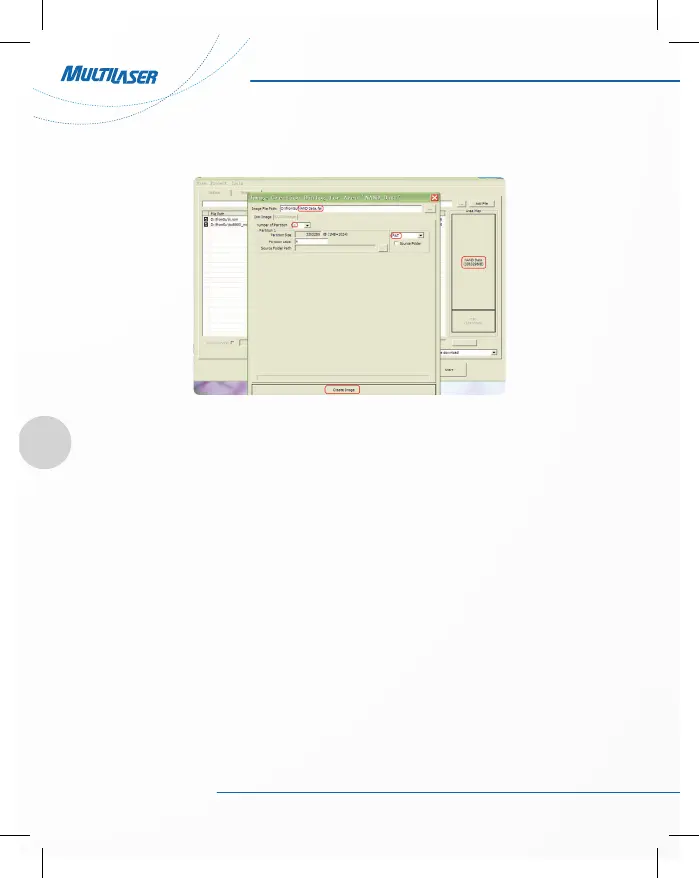
3) Initialization complete, click FWDN interface to the right of “Nand Data” area, as shown below:
4) Please fill out the correct parameter according to each of items:
Image File Path: The path of Nand Data stored in can be chosen at random
Number Of Partion: 1
Partion 1: Select FAT format
Partion Lable: a
Filling is complete, click Create Image button.
5) Select “OK”, Then select “Low format whole memory before download”. Then click on Start button. System
begins to upgrade.



 To Next Page