MD-1000I / MD-2000I / MD-3000I Explanation of USB Function
MD Series 46
3.4 Operational Modes and Voltage Settings
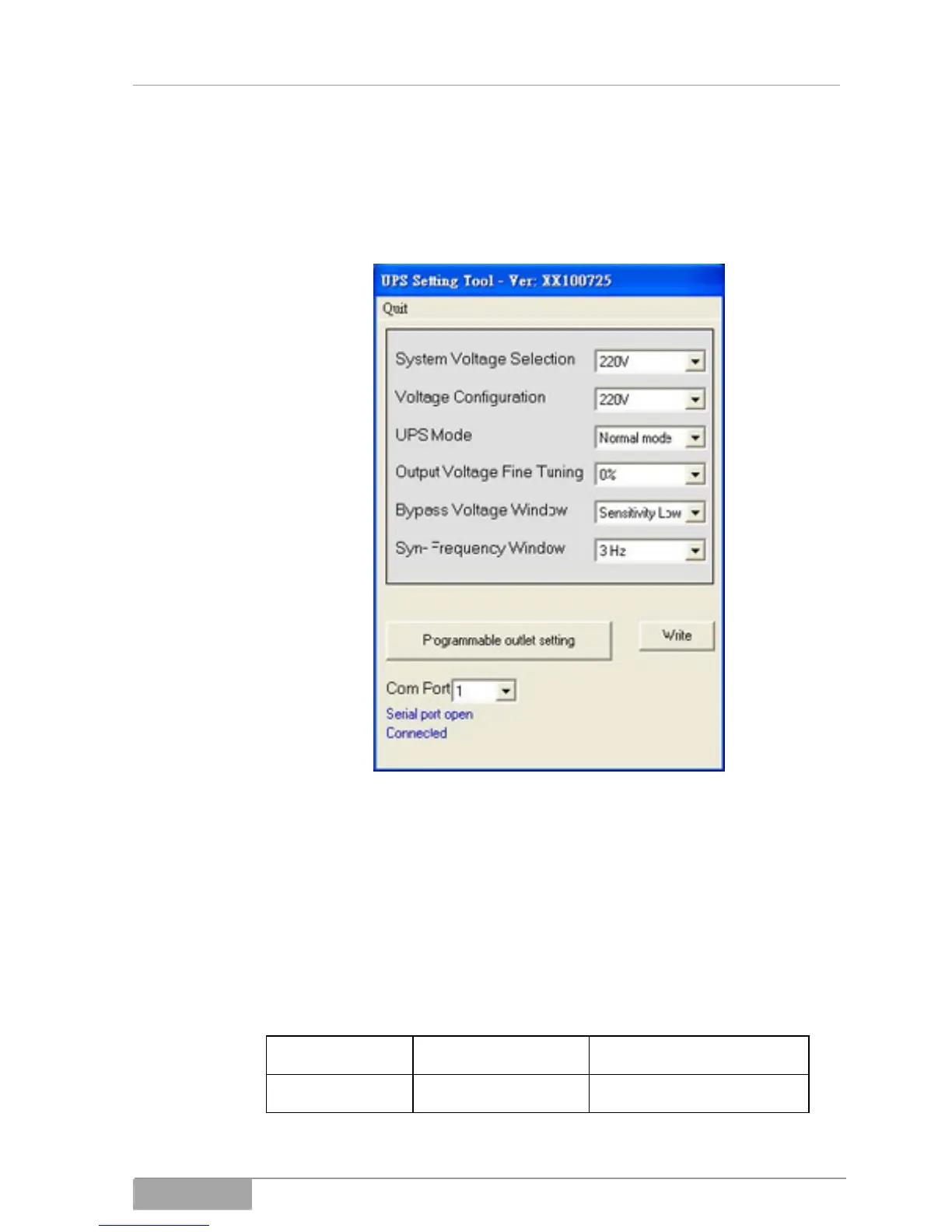
Download the UPS Setting Tool software and open the software, so that you
have the window shown below open.
System configuration settings
1. Selecting power supply voltage: Select the input voltage 230V.
2. Next, select the output voltage from: 200V/208V/220V/230V/240V.
3. UPS mode: Select normal mode /CF50*/CF60*.
4. Output voltage fine tuning: output voltage 0 - ±3%
5. Bypass voltage: low or high
Low High
220V-system 184V~260V 194V~260V



 To Next Page