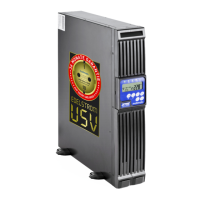
MD-1000I / MD-2000I / MD-3000I Trouble Shooting Guide
Situation Malfunction Message
/
Meaning
Solution
UPS failure LED
Read the failure code
indicated by LEDs.
1. Er05 battery weak
or defective
1. Check if the battery is properly
connected. Check battery voltage to
determine if the batteries are
charged and free of defect. If neces-
sary, charge the batteries 8 hours.
2. Er12 Overload
2. Disconnect the uncritical equip-
ment from the UPS outputs until the
overload has subsided. Check to
see if insufficient cable insulation
has caused a short circuit. If neces-
sary, replace the cable(s).
3. Er11 (UPS Exces-
sive temperature)
3. Clean plugged up vents. Check to
make sure the fan is working prop-
erly. If necessary, ask your local
dealer to replace the fan.
4. Local cable or
earthing problem
4. Check to see if the "L" and "N"
phases of the AC power lead are
wrongly wired or if the earth neutral
wire voltage exceeds the limit.
5. Er14 (Fan defec-
tive)
5. Check to see if the fan is operat-
ing properly. Do not attempt to
replace the fan. Contact your local
distributor.
6. Other faults codes 6. Contact your local dealer for
assistance.
MD Series 78



 To Next Page