Power Supply
Maximum
Current
Operating
Relative
&
Key
Voltage
System
100 To 250V AC,50/60 Hz, Approx 4VA
CT ratio is selectable (UP to 6000/5A)
3 Phase 4 Wire/3 Phase 3 Wire System
0°C To 55°C
Up to 95% RH Non Condensing
Manual or Auto Mode
50 To 500V AC (P-P) CAT III
30 To 300V AC (P-N) CAT III
Model
Size (mm)
Display
Panel Cutout
Input Current
96(H) X 96 (W) X 52 (D) mm
UPPER: 7 Seg, 6digit,0.40”, RED LED display for KWH
LOWER: 7 Seg, 4digit,0.40”, RED LED
92 X 92 mm
DSM-14N
50mA to 5AMP AC, (WITHOUT CT) CAT III
Protection
(As per request)
IP-65 (Front side) As per IS/IEC 60529 : 2001
www.multispanindia.com
Page-1
DSM-14N
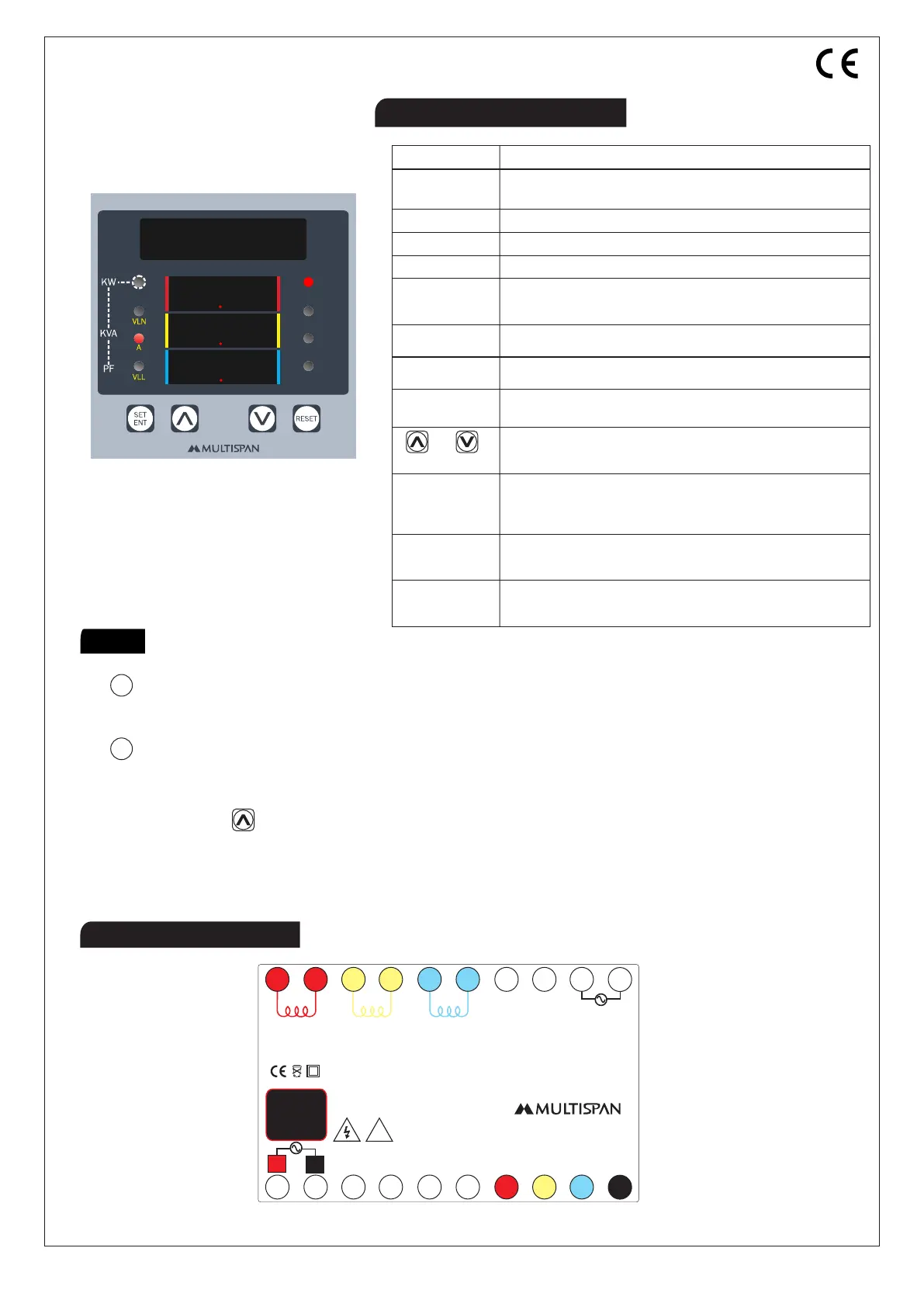
Connection Diagram
Technical Specification
Maximum Demand
*Themaximumdemandvalueisthemaximumaveragevalueofthe
instantaneouspowerduringadefinedtimeintervalsetinMDTime
parameter.ThedefaultvalueofMDtimeis15minutes,whichis
selectable.
Note
* Press key for SCROLL & HOLD Facility.
* By default value of MD Time is 15 minutes.
* When 230 V supply to the DG source terminal,
then instrument measure DG power.
Level
Temperature
Humidity
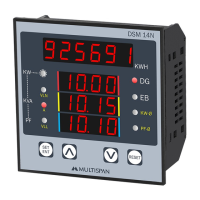
DSM 14N
KWH
DG
EB
KW-Ø
PF-Ø
9 2 5 6 9 1
1 0 0 0
1 0 1 5
1 0 1 0
1
2
3
4
7
8
9
12
13
14
10
11
5
6
S1 S1 S1 S2S2S2
L
N
3Ø-4W / 3Ø-3W
Accuracy Class: 0.5
Range:
System:
Current: 50mA To 5A AC, CAT III
Voltage(P-P) : 50-500V AC, CAT III
(P-N) : 30-300V AC, CAT III
1920
17
18
16
15
VR
VY
VB
N
R
Y
B
DG Source
~
50/60 Hz
4VA
100
250V AC
!
Made in India
www.multispanindia.com
DG - When fast blinking, indicates that the DG power measuring
- When normal blinking, indicates that the reading view is for DG.
EB - When fast blinking, indicates that the EB power measuring
- When normal blinking, indicates that the reading view is for EB.


 To Next Page