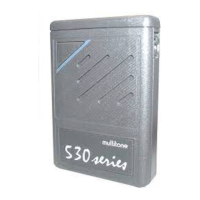
RPR 950 Series
To find more messages, each time you press the OCR button,
the pager scrolls through the stored message headers. The
most recent message is prefixed with “M1” or the time it was
received. If you wish to view a message, release the
OCR button and the message will automatically scroll
across the display.
If a call is canceled during the alert period, the MUTE
button can be used to play the message and speed up
or slow down the viewing process. If MUTE is pressed
and held, the message remains on the current screen, if
MUTE is released, the next screen is displayed.
extended alert mode , press the OCR button again to
engage memory replay mode. The pager responds by displaying
the timestamp or the message number (header) of the first
message. If there are no messages, the phrase no message is
displayed and the pager returns to standby mode.
Your pager can store up to 120 seconds of speech in 5 equal
memory segments, each 24 seconds long. It is not possible to
replay a voice message from memory until the original call is
ended, but it is possible to close the voice channel during
the original call. If any message exceeds 24 seconds in
length, the recorded message is truncated. Once the memory
is full, any new message will overwrite the oldest stored
message.
The message is replayed automatically when its
associated message is retrieved from memory, as described in
section 7. If you press the OCR button at any time, this
ends the message playback and the next message is
retrieved. If you press and release the MUTE button, the
message starts over from the beginning.
11
9261 – 9629 Issue 2
8. RECOVER VOICE MAIL
Machine Translated by Google


 To Next Page