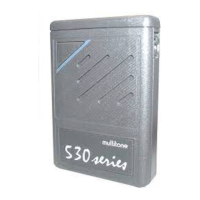
RPR 950 Series
16. ABSENCE AND LOADING
9261 – 9629 Issue 2
21
metal bracket into the guides at the back and gently
slide the clip assembly into place, ensuring that the
retaining tab is fully seated in the notch of the back bracket.
Once in the case, your pager displays a programmable
message of a maximum length of 9 characters.
Unless otherwise programmed, the default message
will correspond to the RIC number (receiver identity code) of
your pager. This message can be programmed either
before switching on the pager or by the transmission
of new alphanumeric messages via the absence data bus.
Your pager's display orientation is corrected for viewing in
the holster, but reverts to the user's choice when unholstered.
The “alert” light will turn on half bright during charging.
When you insert your pager into its Abundance Case, it
automatically goes into away mode. An already on pager
will reset and an off pager will turn on and go into away mode.
If you take the pager out of the holster, it automatically reverts
to power up sequence mode.
NB: No call can be accepted while the pager is in the case
and no recorded message will be erased.
When a single-unit charger or single-unit charger is used,
the pager can still receive calls, but its radio sensitivity may
be reduced and the vibrate option does not work.
Machine Translated by Google


 To Next Page