RPR 950 Series
Carry your pager
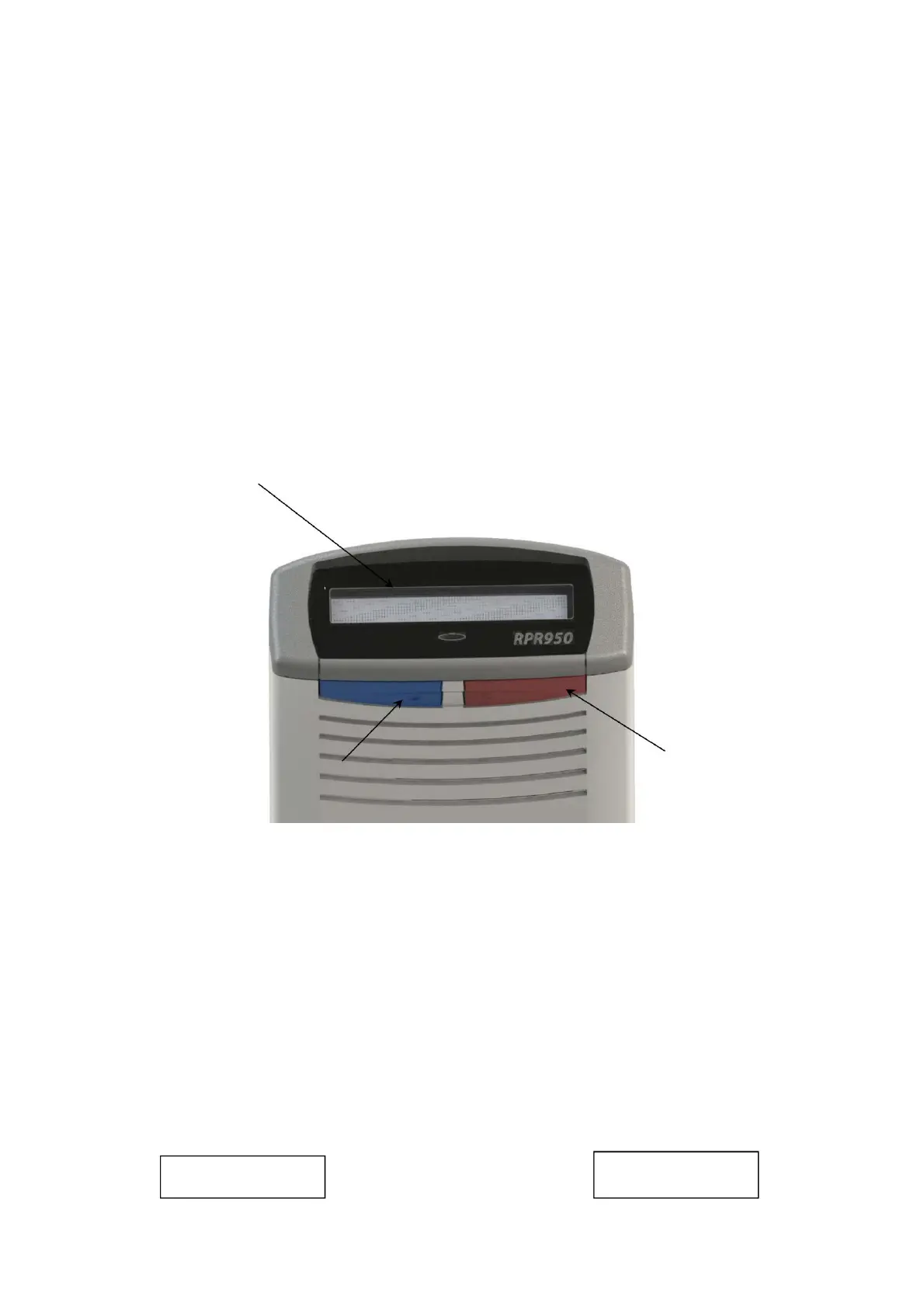
2. CONTROLS AND DISPLAY
3. STARTING
BUTTON MUTE BUTTON
MESSAGE DISPLAY AREA
ON/CANCEL/R
CALL (OCR)
69261 – 9629 Issue 2
To turn on your pager, press the Power/Cancel/
Redial (OCR) button once. The pager beeps briefly and goes
into self-test, which activates the LED, a message display,
and vibrates the motor. The pager then displays its address
and any optionally programmed messages when turned on. At
the end of this sequence, the display goes blank and
the pager enters standby mode, it is ready to receive calls by
displaying either:
It can be used in conjunction with the clip or as a
separate attachment method.
Your pager is supplied with a removable clip which
has been specifically designed to fit a clip when used 'in the
pocket' or 'on a belt'. A removable elastic strap option is
also supplied with a metal hanging clip.
12:05
no time
-- : --
Machine Translated by Google


 To Next Page