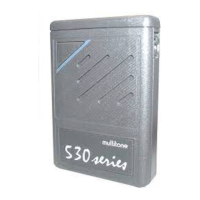
RPR 950 Series
Your pager can be programmed to display the time when in
sleep mode. The actual source of the time signal may be
the pager's internal clock or an antenna signal from
your control system, if applicable. Time data is used to
timestamp incoming messages.
Internal clock - when the antenna time signal option is not
activated, it is possible to activate and set the pager's internal
clock. To set the time, press the OCR button during the
power up sequence and the time screen will appear with
the hours flashing.
Press the OCR button until the desired minutes are
displayed. To complete the setting, press the MUTE button
and the pager will continue its power up sequence.
On-air time signal - If this option has been
selected, your pager will display the --:-- symbol in standby
mode until the first valid time signal (transmitted every
minute) from the system is received. If the pager is out of
range of the system and no time signal is received for 2
minutes, this symbol will also be displayed until a new valid
signal is received.
To change the times, press repeatedly or press and hold the
OCR button until the desired time is displayed. At this time,
press the MUTE button and the minutes start flashing.
To reset the time to a pager that is already on, or an
incorrect time, simply turn the pager off and on again and
follow the time setting procedure.
9261 – 9629 Issue 2
15
12 O'CLOCK
Machine Translated by Google


 To Next Page