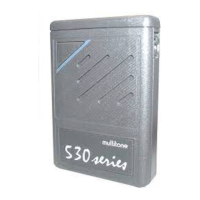
RPR 950 Series
9. ADJUSTING THE VOICE VOLUME (audible signals)
10. ALERT OPTIONS
9261 – 9629 Issue 2
12
To adjust the volume of voice prompts and beeps, if
programmed as options, place the pager in standby mode.
First, press the MUTE button, then the OCR button. The
display shows the current volume level and can then be
adjusted by pressing the OCR button again to increase the
volume, or the MUTE button to decrease it. Once the desired
level is reached, release the buttons and the pager returns
to standby mode.
Your pager has several options to notify you of a call, you
can choose them according to system requirements and
sometimes according to your needs.
obtain an alert signal whose volume increases
gradually. The sequence begins with the LED flashing for 4
seconds, then the LED lights up and an audible alert sounds
for another 4 seconds and the sequence ends with the final
selected alert duration (8, 16, 32 seconds or constant) of LED
lighting + an audible warning signal at maximum volume. It
is possible to interrupt the alert at any time during
the sequence by pressing the OCR button once.
Audible alerts
Extended alert - programmable option, this mode acts
as a reminder if the original alert has not been cancelled. The
sequence starts with one LED flash every 2 seconds through
two beeps every 120 seconds, until canceled by pressing the
OCR button. The most recent message received is then
displayed.
Rising Alert - programmable option that allows
Machine Translated by Google


 To Next Page