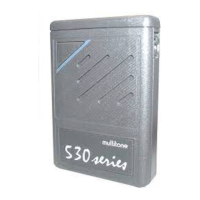
Silent alerts
The Silent Alert setting can be changed by pressing and
holding the MUTE button for approximately 1.5 seconds
while the pager is in sleep mode. Each time you press and
hold the MUTE button again, the pager cycles through each
option until you reach the mode you want. Each change is
confirmed by an acoustic signal and, if necessary, by a
short vibration. If you press the OCR button in standby
mode, this allows you to check the status of the selected
option.
The options available are:
Mute Mode - a programmable option that silences all
audio alerts and voice calls. Received calls are notified with
a flashing LED and a vibration, if the latter has been
selected. Messages are displayed and saved as normal for
later review.
On - normal sound alert, no vibration;
Vibrate option - a programmable option allowing
On+vibrate - same as On but with vibrate;
to obtain a discreet alert that can work in conjunction
with or separately from the sound alert options. Once
programmed, this option can be turned on or off using the
MUTE button and going through the steps in the mute/vibrate
option sequence.
Mute + vibrate - tones and voice prompts are muted and vibrate
is on.
RPR 950 Series
9261 – 9629 Issue 2
13
Machine Translated by Google


 To Next Page