Page
11
of
18
IMC01 Frequently Asked Questions
Version 1.05
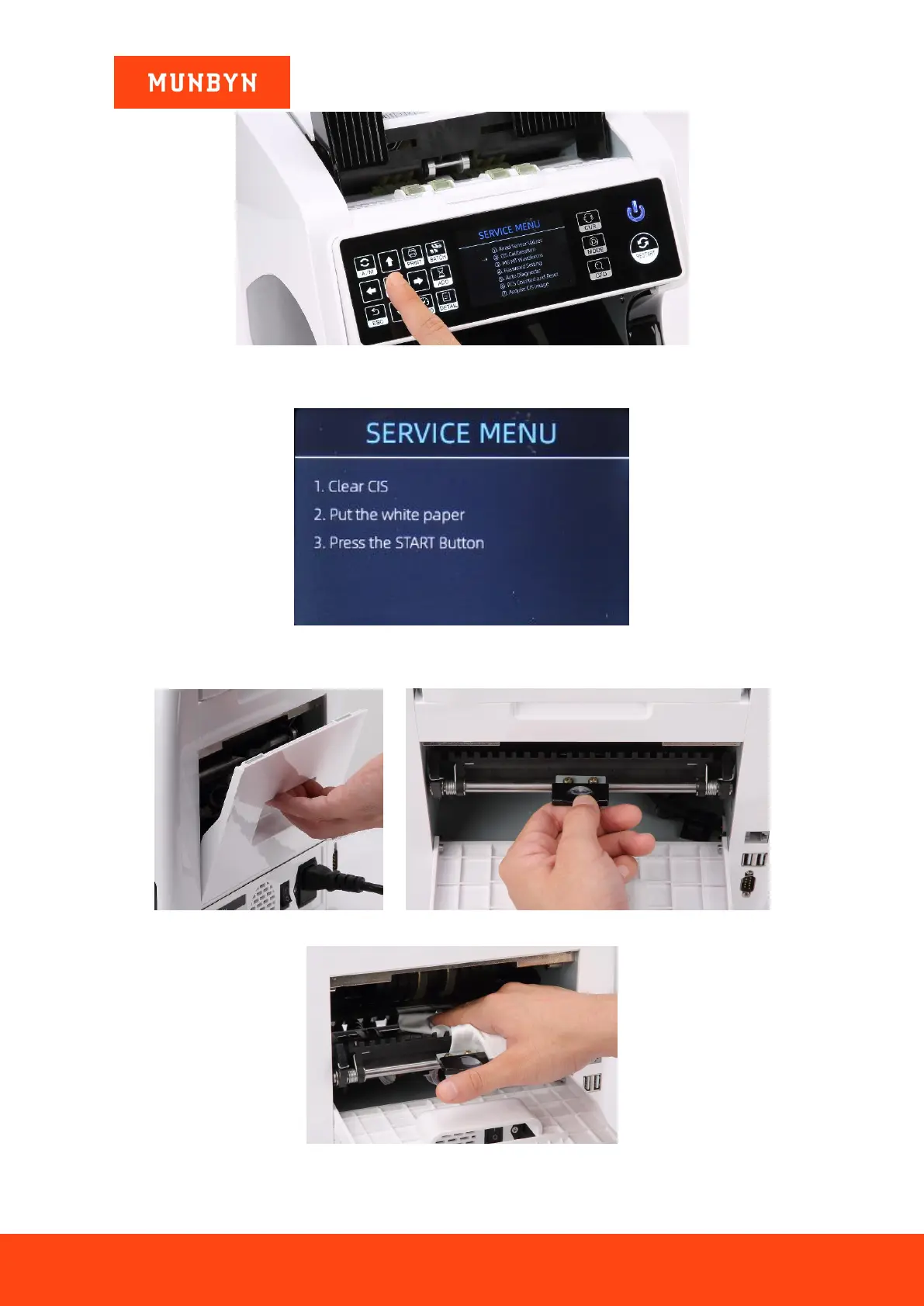
Figure 2- 14 Service Menu
2) Click the “CIS Calibration” option, shown below:
Figure 2- 15 CIS Calibration Interface
3) Open the back cover to clean the CIS sensors with a lint-free cleaning cloth.
Figure 2- 16 Open the Back Covers
Figure 2- 17 Clean the Lower CIS



 To Next Page