Page
13
of
18
IMC01 Frequently Asked Questions
Version 1.05
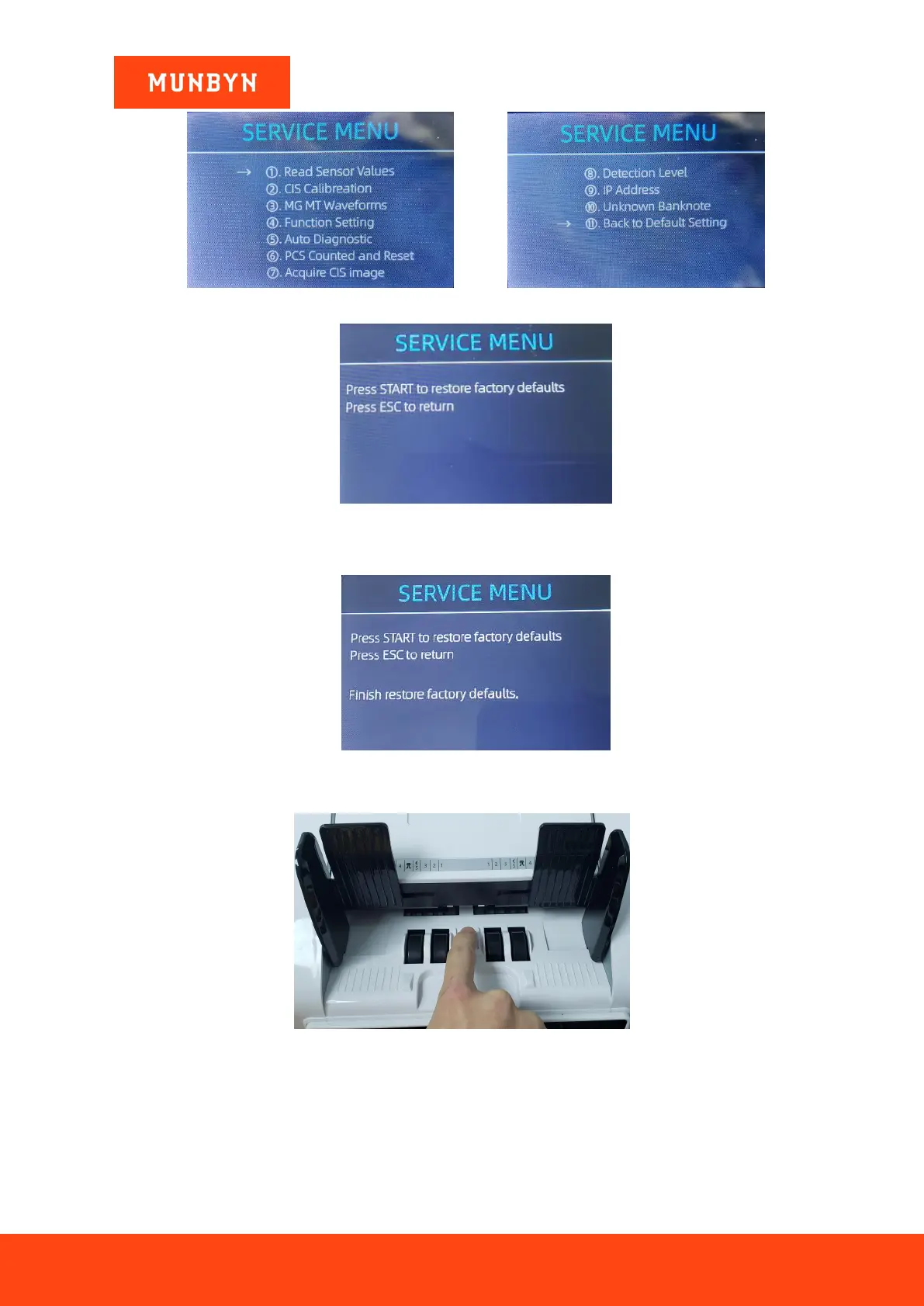
Figure 2- 21 Service Menu
Figure 2- 22 Default Setting Interface
2) After pressing start, the IMC01 will reset all the changed settings beforesettings to factory default.
Figure 2- 23 Default Setting Guide
3) The processing wheels and rollers in the IMC01 will run for a while.
Figure 2- 24 Touch the Hopper Sensor
2.9. What should I do if the machine keeps stop counting and error
displayed on the screen?
1) There may be some dust on the surface or sensors blocked by notes, please open the back cover to check if
there is any foreign matter inside, and then clean the sensors with brush or soft cloth.



 To Next Page