Page
15
of
18
IMC01 Frequently Asked Questions
Version 1.05
2.12. What should I do if Stacker Error displayed on the screen?
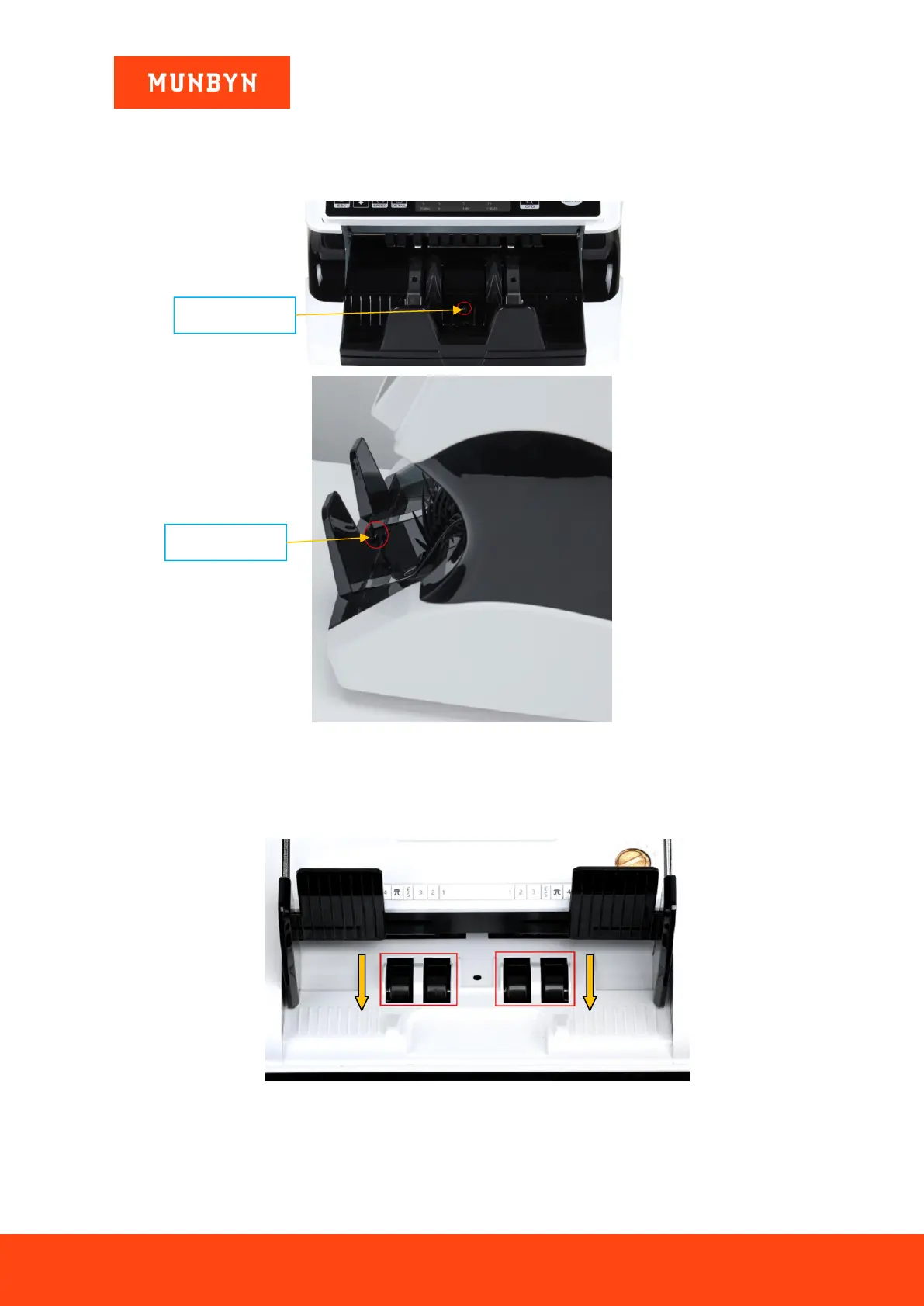
If Stacker Error is displayed on the screen, the sensor may be covered by dirt or damaged.
As shown in the figure below, clean the Stacker sensor. If there is still a problem, please contact us.
Figure 2- 25 Stacker Sensors
2.13. What should I do if Motor Error displayed on the screen?
1) First confirm whether there is a banknote stuck in the feeding port. If a banknote is stuck in the feeding gap,
please turn the Banknote Processing Wheel to take out the banknote, as shown in the figure below.
Figure 2- 26 The Direction of Wheel Rotation to Take the Jammed Bill
2) Open the back cover to check if there is any foreign matter left inside, use the included dust-free cloth
IMC01 inside, and close the back cover after cleaning.



 To Next Page