Page
12
of
18
IMC01 Frequently Asked Questions
Version 1.05
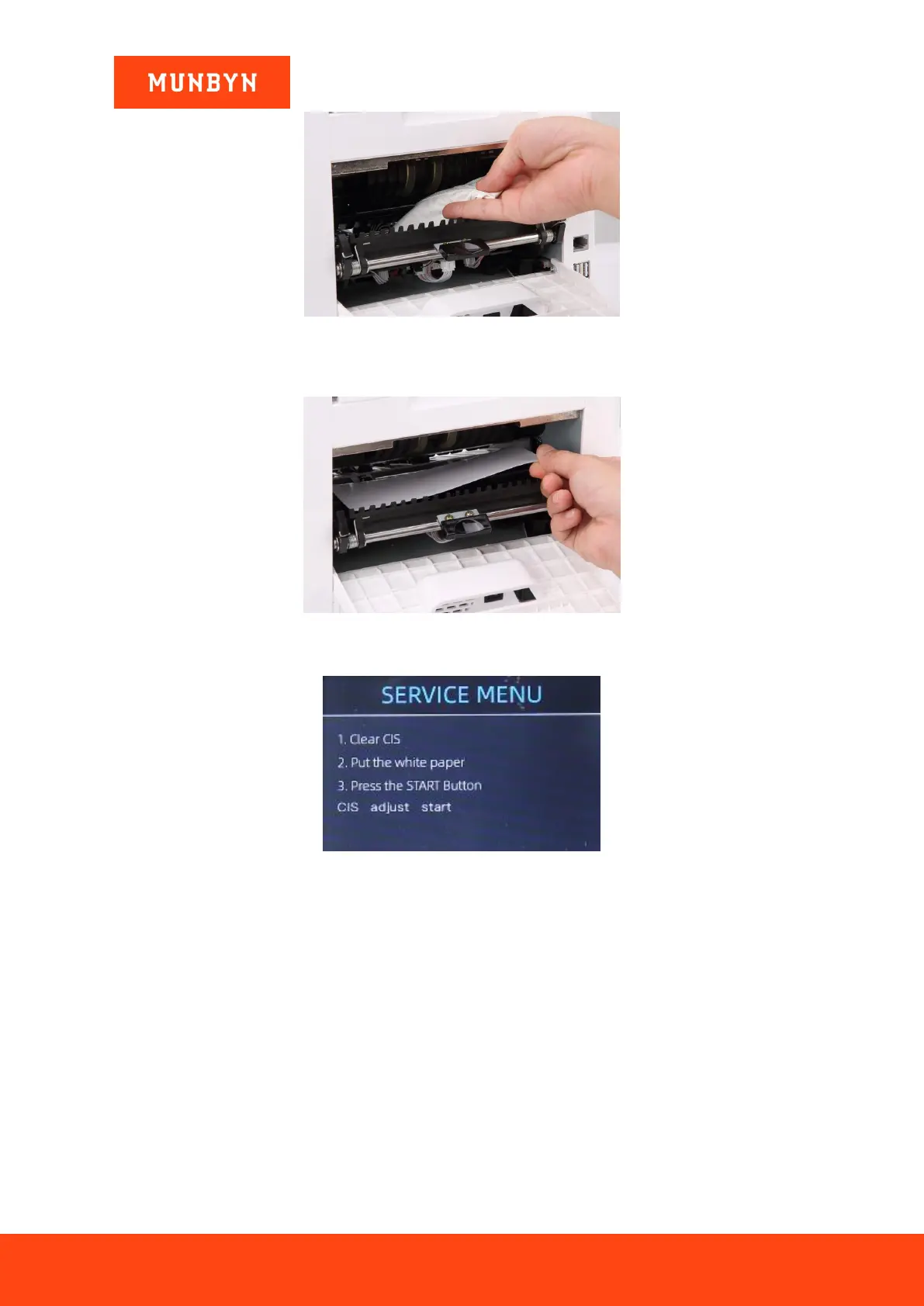
Figure 2- 18 Clean the Upper CIS
4) Using the included CIS calibration sheet (white paper), place inside as seen below, and close the back
covers.
Figure 2- 19 Place the CIS Calibration Paper
5) Start CIS calibration by pressing the “RESTART” button.
Figure 2- 20 Start the CIS Calibration
6) After the machine finishes, just take remove the calibration paper out, close both covers, and turn off
machine.
7) Finally, turn on the machine to finish the CIS calibration.
2.8. How do I restore the unit back to factory settings?
After fine tuning the screw and CIS calibration, if there are still some errors or the counting is still not correct,
returning to the factory default setting mode is required.
1) 1) On the main menu, choose the service menu with the password “9999”, as shown in the following
figures. Then choose “Back to Default Setting.”



 To Next Page