Page
8
of
18
IMC01 Frequently Asked Questions
Version 1.05
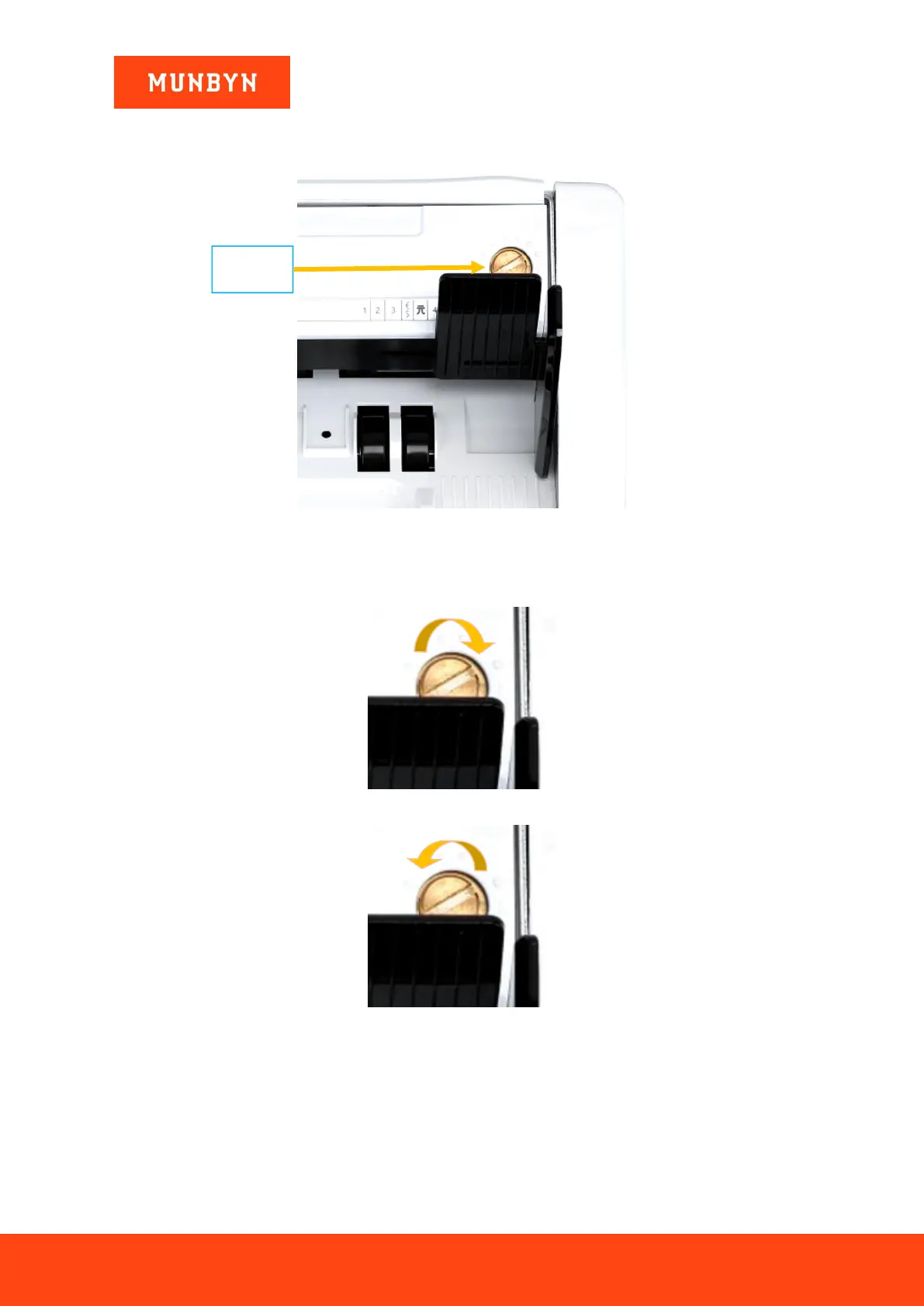
2.6. When and how do I adjust the feeding gap adjustment?
Figure 2- 6 The Adjustable Screw
The screw above is used to control the width of the feeding gap. You can use a coin to adjust the gap easily. The
width will become bigger by rotating the screw clockwise toward the biggest dot. Turn counterclockwise to
decrease the gap.
Figure 2- 7 Rotate the Screw to Increase the Feeding Gap
Figure 2- 8 Rotate the Screw to Decrease the Feeding Gap
To fine tune the feeding gap, do the following:
1) As shown in the figure below, make sure that the Banknote Processing Wheel is on a smooth surface.



 To Next Page