Page
7
of
18
IMC01 Frequently Asked Questions
Version 1.05
2.3. How to remove a stuck banknote or bill?
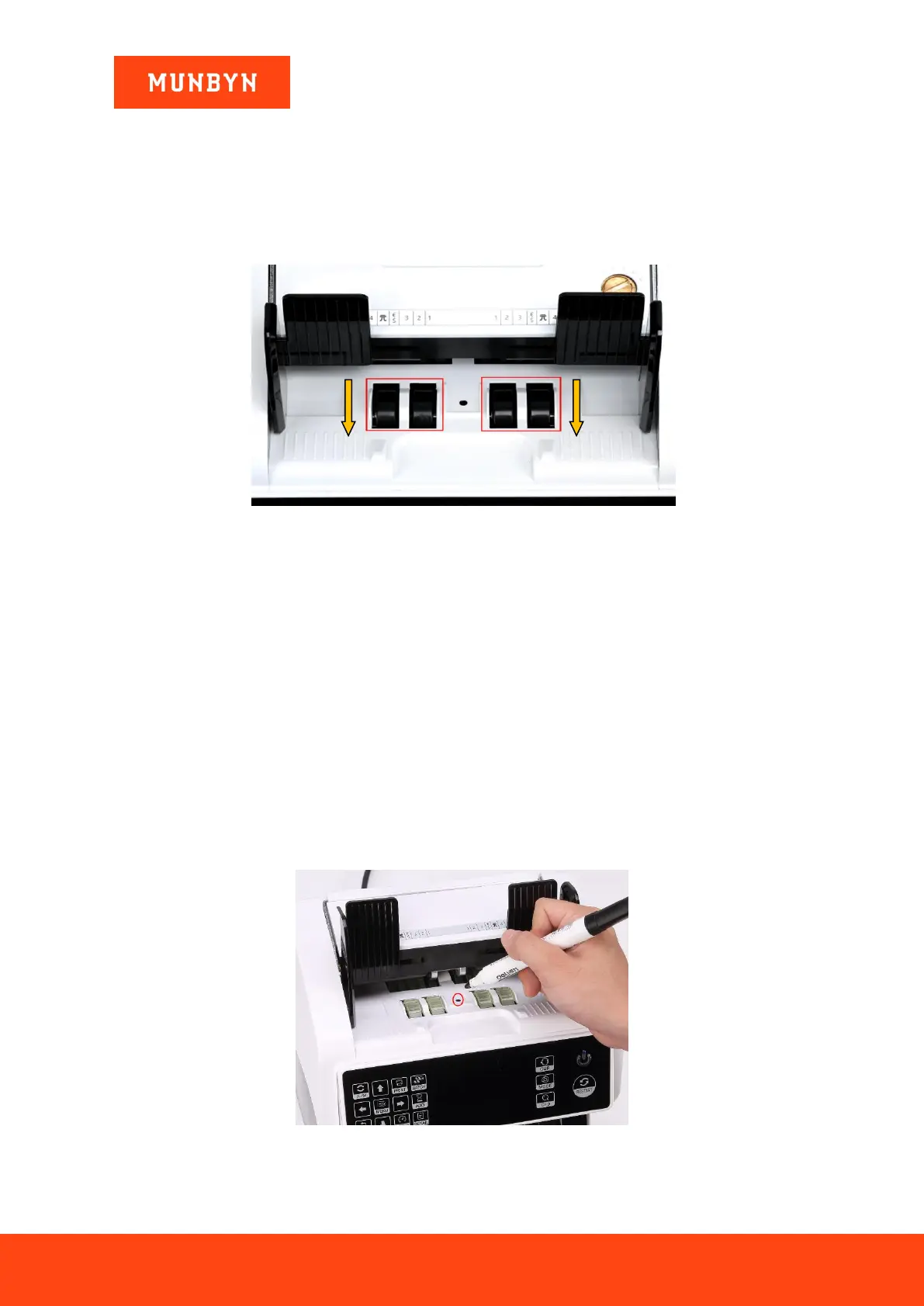
If the bills are stuck inside the machine, please turn off the machine and rotate the banknote processing wheel
down
CAUTION: ALWAYS ENSURE MACHINE IS OFF BEFORE PUTTING HANDS/FINGERS NEAR THE
PROCESSING WHEEL OR SLOT.
Figure 2- 4 The Direction of Wheel Rotation to Take the Jammed Bill
2.4. How do I fix bills constantly jamming?
If you experience a jam, try the following first:
1. Check to see if there is any visible dirt, dust, or any other foreign matter inside machine (look especially
for remnants of bills they may have torn). Remove any foreign matter with tweezers or your fingers.
CAUTION: ALWAYS ENSURE MACHINE IS OFF BEFORE PUTTING HANDS/FINGERS NEAR
THE PROCESSING WHEEL OR SLOT.
2. Clean the machine according to the directions in FAQ 2.2, including all sensors.
3. If necessary, ad, just the feeding gap according to the directions in FAQ 2.6
2.5. The wheels keep spinning every couple second after the machine
powers on, and indicates an error, how do I fix it?
If the wheels in the hopper are consistently spinning after the machine powers on, and then stops with the
“hopper sensor error” or “main motor error”, the hopper sensor is too sensitive.
Figure 2- 5 Using marker pen to decrease the sensitivity of the hopper sensor
Please use the marker pen to paint a little on the hopper sensor as shown in the above figure.



 To Next Page