© Munters AB, 2016 14
•
: Tests the digital input
pulses
•
: Checks the software version and
displays the barn type mode.
•
: Checks the LCD version
•
: Checks the com version
•
: Shows the hardware
version
•
System Reset: System reset (
for
technician’s use only!
)
•
: Tests the LCD screen
4.4 Cooling
The following sections detail how to configure the cooling methods.
•
Munters Drive fans
•
Foggers and soakers
•
Configuring the curtain
4.4.1 Munters Drive fans
The following sections detail how to configure the Munters Drive fans.
•
Munters Drive background
•
Configuring the Munters Drive fans
4.4.1.1 Munters Drive background
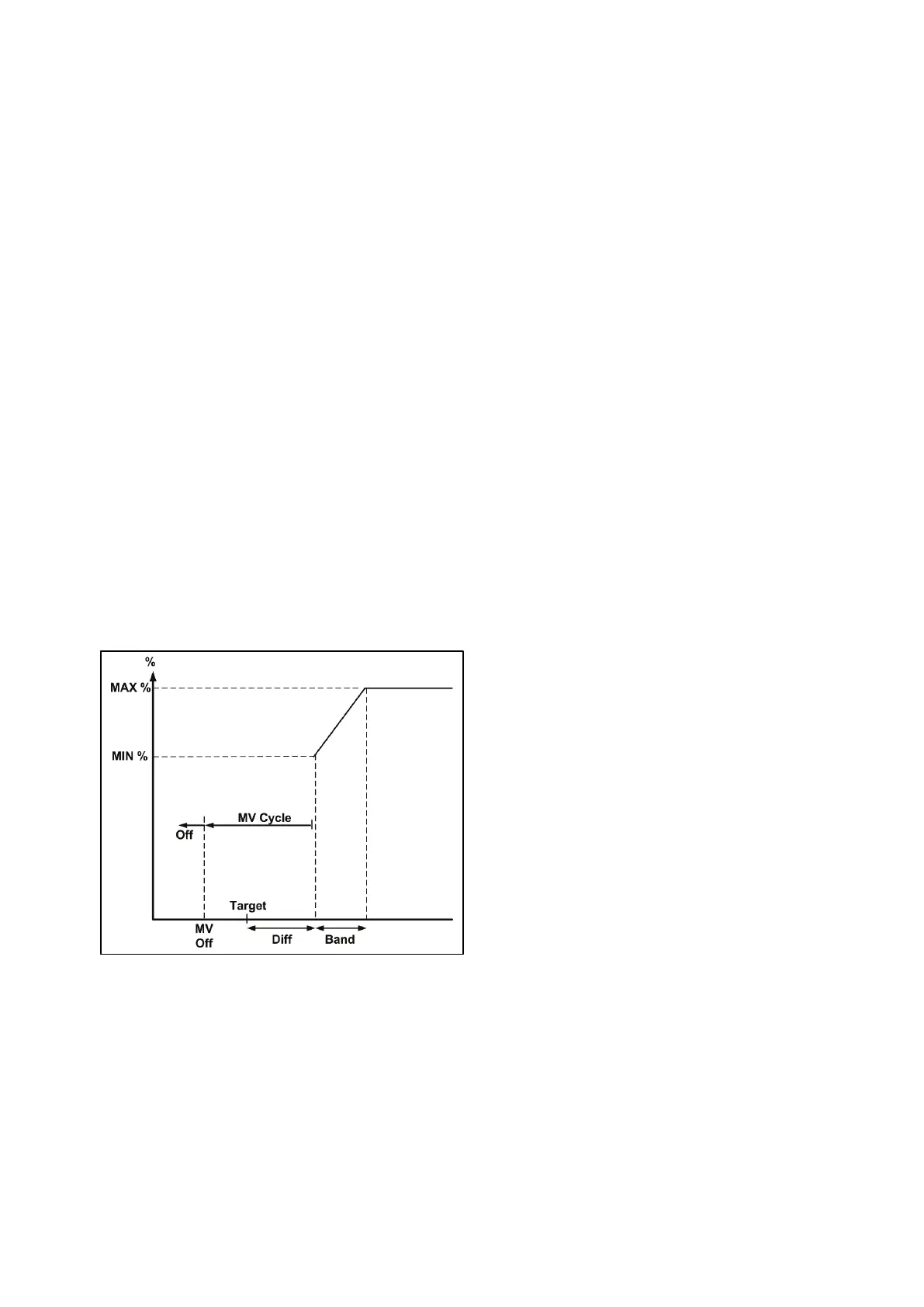
Figure 2 illustrates a sample graph showing how the ventilation rises from minimum to maximum.
Figure 2: Munters Drive fan graph
When Variable Speed Fan is activated (value above 0%) the corresponding relays should be
activated:
•
Fan 1: Relay 5
•
Fan 2: Relay 6
•
Fan 3: Relay 7



 To Next Page