Muratec MFX-C3680 Series
Fax Features
43
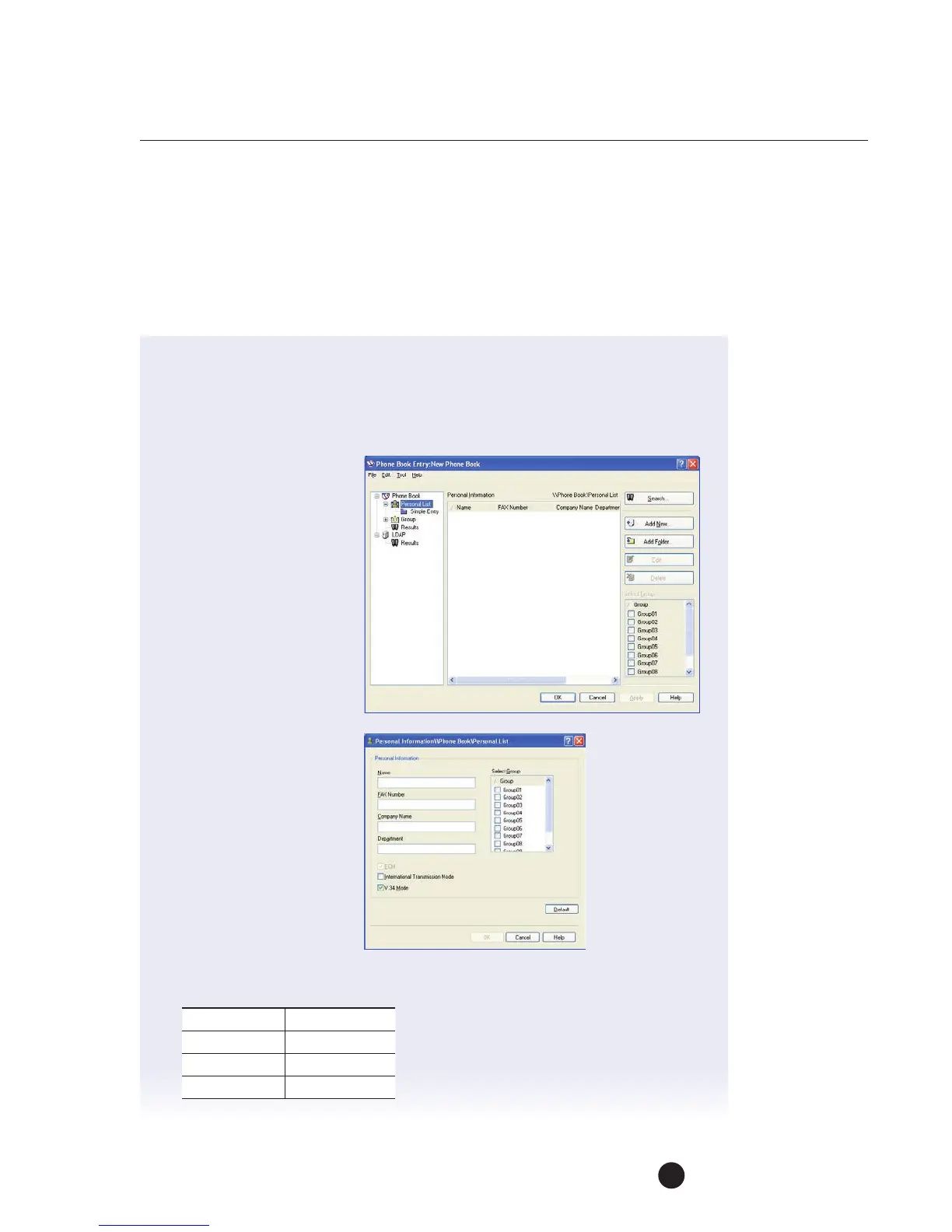
FREQUENTLY USED FAX NUMBERS
When sending a fax, you can recall your most frequently used fax numbers from
aphone book on the Fax Driver. This phone book can be accessed from the FAX tab
in the FAX print properties dialog box.
1. From the application (Word), select the MFP Fax Driver by clicking File Print.
2. Click on the Properties button.
3. Click on the Phone Book Entry button.
4. The Phone Book Entry
dialog box appears.
5. From the left side
ofthedialog box,
clickonPersonal List.
6. Then click
Add New button.
7. The Personal
Information/Personal
Listdialog box appears.
8. Enter the following information:
Name
Tony Welsh
Fax Number
201.489.9088
Company
Paris Industries
Department
Marketing



 To Next Page