bizhub C754e Series/C554e Series/C364e Series
Fax Job Shops
44
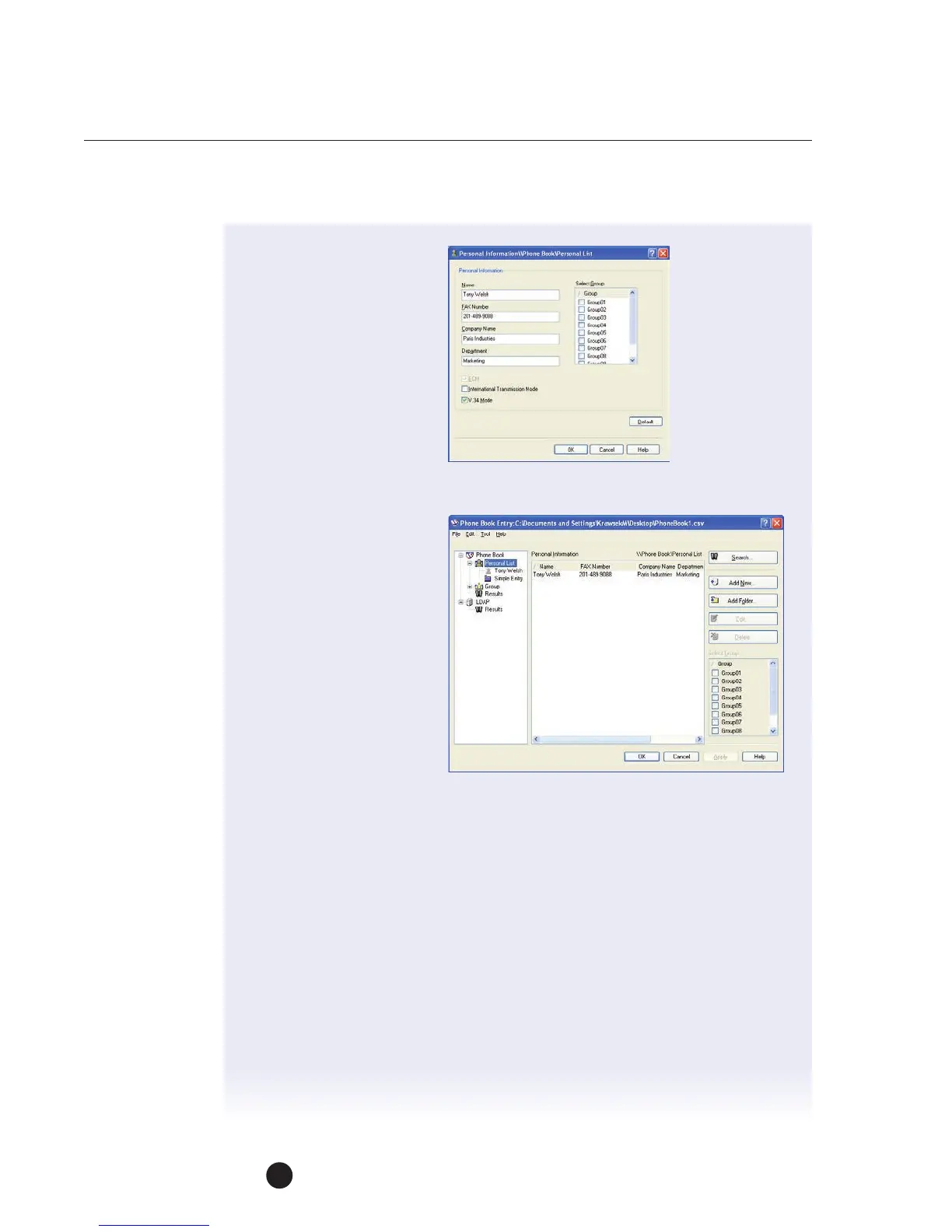
9. Confirm V.34 Mode
ischecked.
10. To add this recipient
toagroup (transmission),
select the check box
ofthe appropriate group.
11. Click OK, the recipient
information is registered
and added to “Personal
Information.”
12. Click OK.
13. Click Yes when
prompted “Save
theSettings?”
14. The Save As dialog
boxappears.
15. Specify the storage
location, Save in:
“MyDocuments.”
16. Enter the File Name
“Phone Book,” then click the Save button.
17. The phone book is now saved as a file.
NOTE: The “Save As” dialog box appears only the first time when a phonebook
file is saved. Thereafter, each time the phone book is changed, the file will
automatically be overwritten. The saved phone book will automatically appear
the next time you open the phone book. To open a different phone book,
select “Open” from the “File” menu in the “Phone Book Entry” dialog box.
Ifmultiple phone books have been saved, you can select which one you want
tooverwrite with the new data.
If you want to create a new phone book, click “New” from the “File” menu
inthe “Phone Book Entry” dialog box. You can save this new phone book file
under a different name by clicking “Save As” from the “File” menu.
The file extension for phone book files is “.csv.”



 To Next Page