Section 78 00-02-0604
08-08-07 - 5 -
HV1000 Navigation
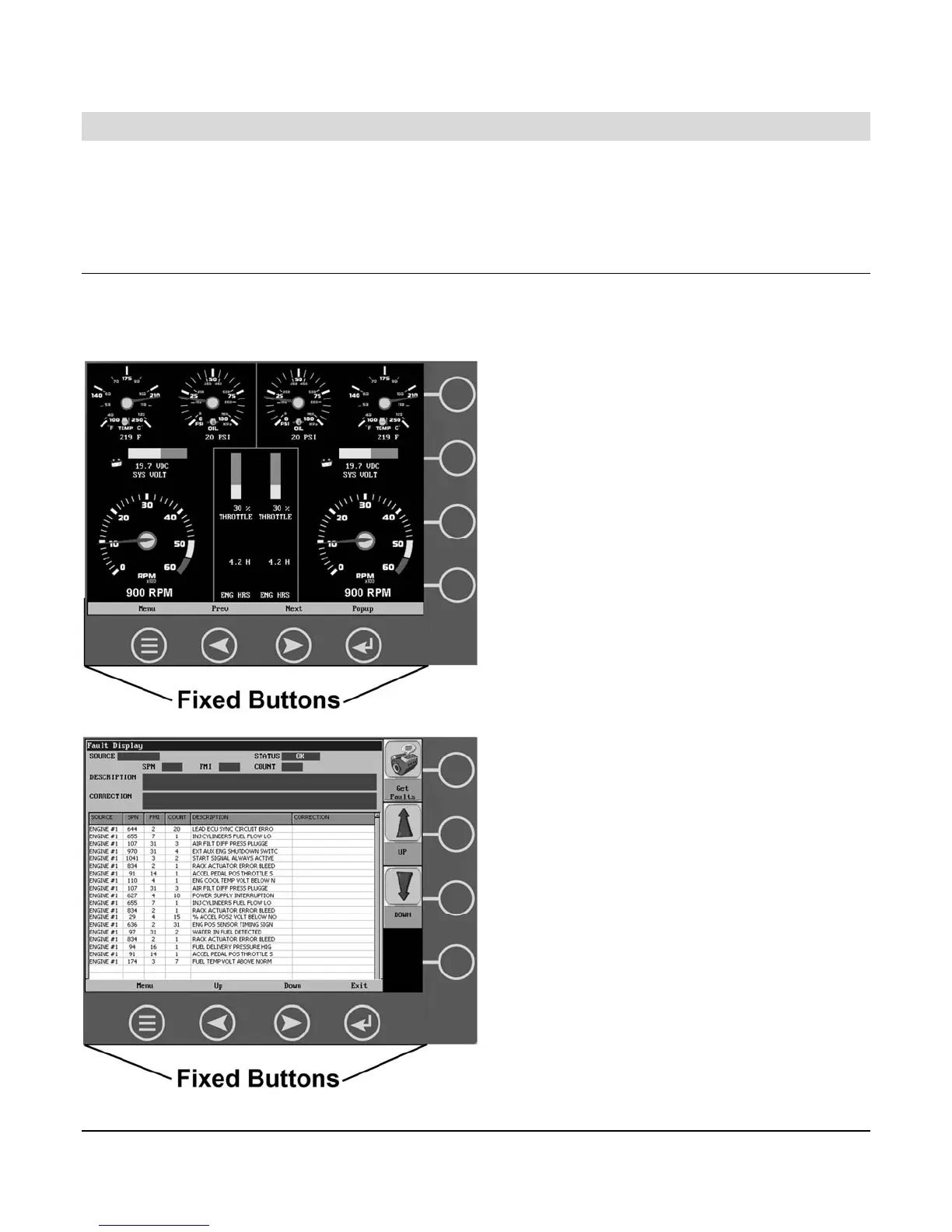
Navigating the HV1000 display is accomplished using two sets of buttons - one fixed and one
virtual - to access menus, pop-ups, and make selections from available options. Each time a
button is pressed, confirmation of the button press is given by the amber light at the lower left
corner of the display.
Fixed Buttons
The fixed buttons run across the bottom of the display for Menu, Previous, Next, and Select
options. On some screens, Select may be replaced by other options such as Save, Exit, or
Popup. Previous and Next may also be represented as Up and Down.



 To Next Page