25
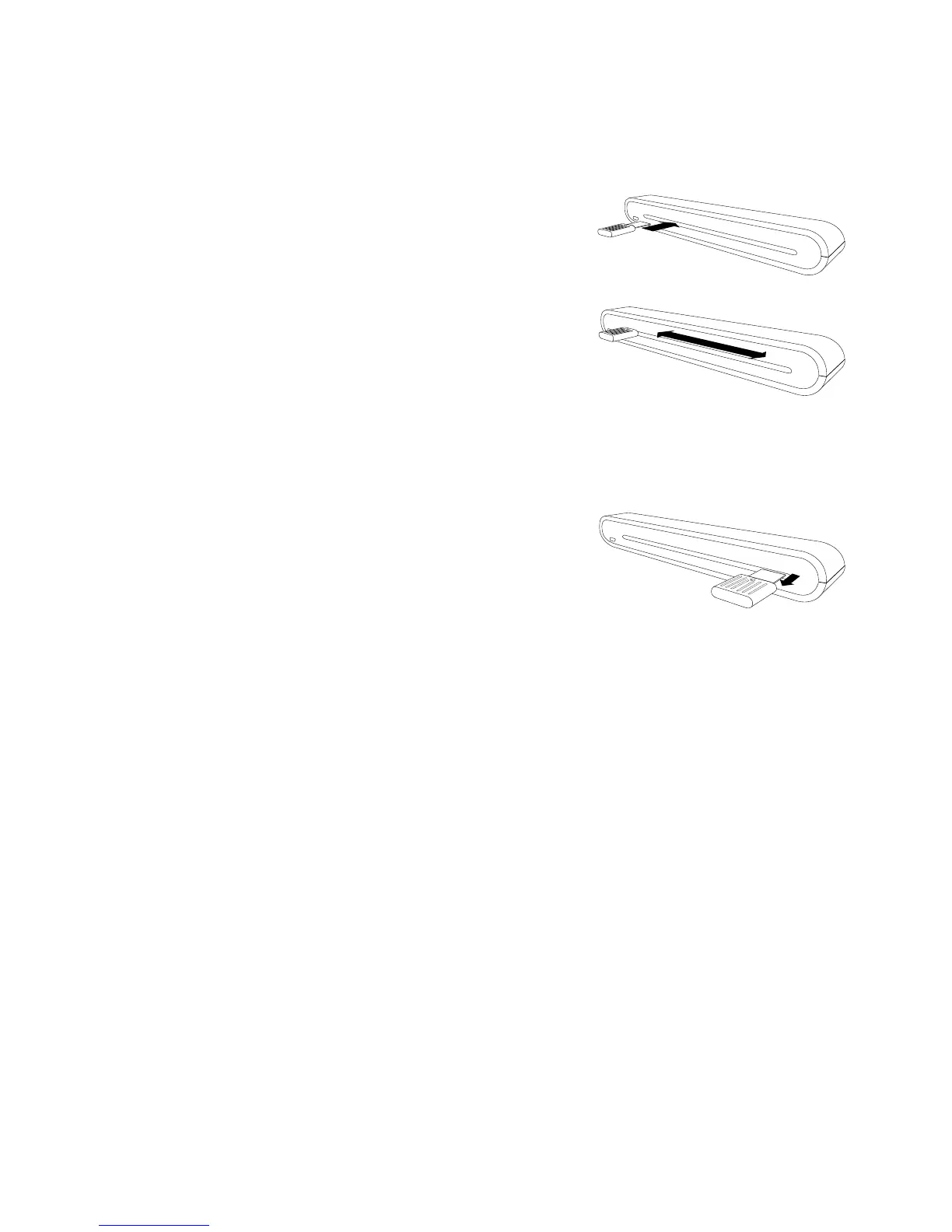
Using the Cleaning Stick
CAUTION: Do not insert the cleaning stick into the slot at the front side of
the scanner.
1. Insert the thin end of the cleaning stick
into the slot at the rear of the scanner.
2. Move the cleaning stick from one side to
the other slightly a few times to clean the
sensor of the scanner.
Attention: To protect the components inside
of the scanner, do not move the sensor cleaning stick excessively.
3. Remove the cleaning stick gently away from the slot and preserve it
for later use.
Troubleshooting
• ChecktomakesuretheUSBcableisrmlypluggedintothescanner
and the computer.
• Please calibrate or clean the scanner if the scan result is poor
quality.













 To Next Page