7
PC's driver
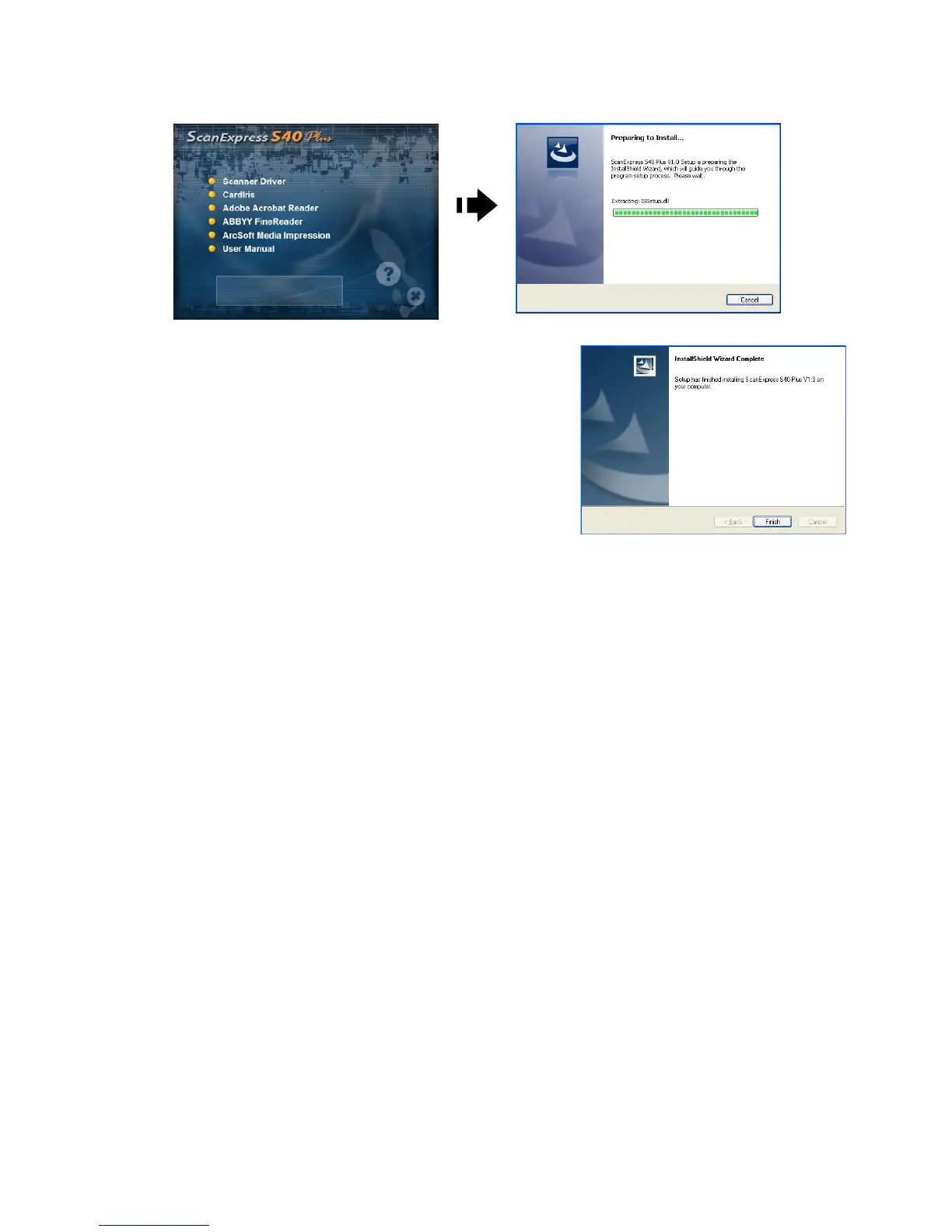
1. Click the Scanner Driver.
2. Please be patience, the installation
procedure will take a while.
3. Click "Finish" when the installation
procedure is complete.
4. The scanner is now ready for use.
Installing Other Softwares
CardIris: Install this program to perform an OCR (optical Character
Recognition) operation for business cards. and export all the data,
including card images to E-mail, FrontRange GoldMine, HTML(*.html),
IBM Lotus Notes, Innomatix InfoContacts II, Outlook, Outlook Express,
Palm Desktop, Text (*.csv), vCard(*.vcf), ACT! and XML(*xml).
Adobe Acrobat Reader (PC only): Install this program for reading
PDFles.
ABBYY FineReader: Install this program to perform an OCR (optical
Character Recognition) operation for documents. This program allows
to scan text, and to convert it to a text document.
Arcsoft Media Impression (PC only): This program will help you to
manage your folders and process photos. It gives access to organize,
view,edit,shareandprotectyourpicture,music,andvideoles.













 To Next Page