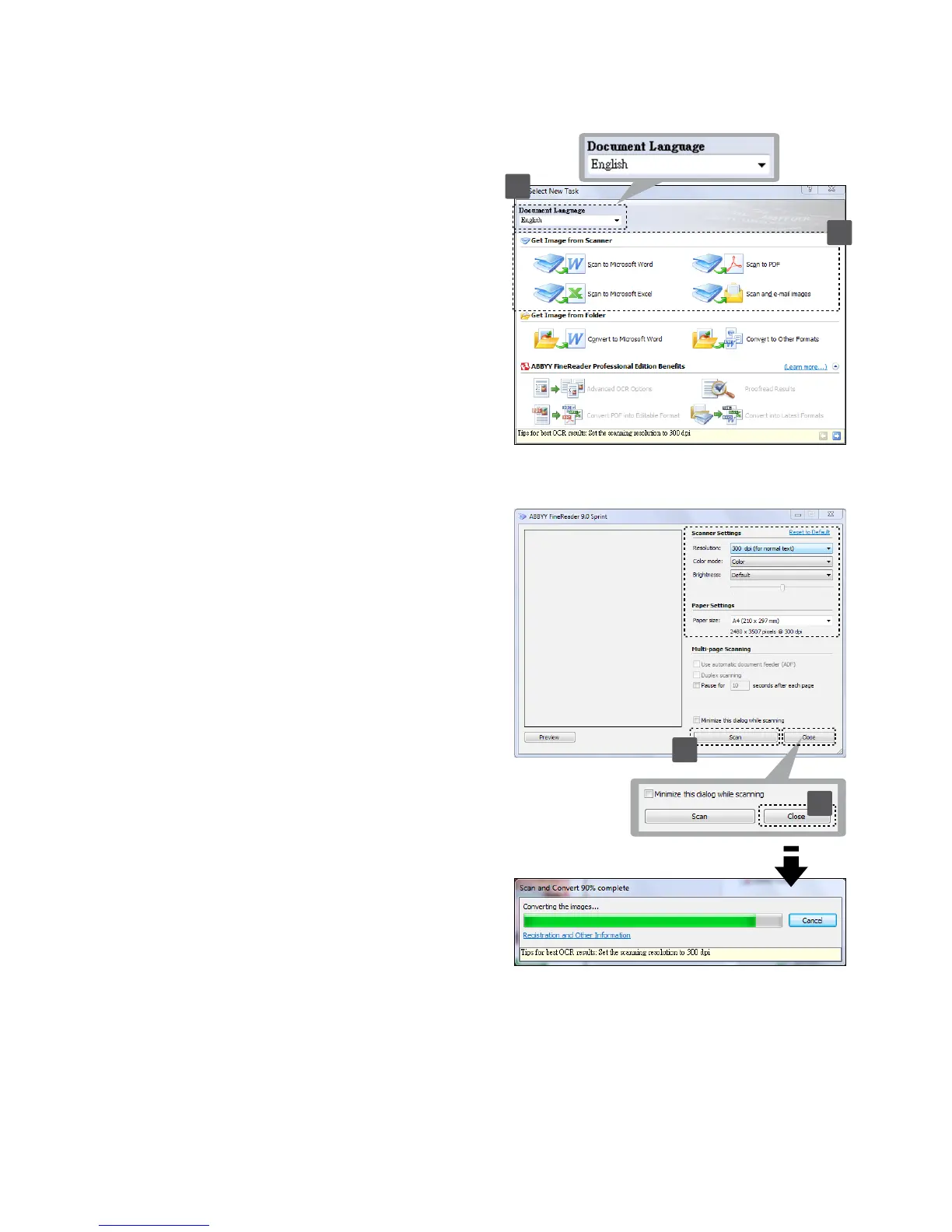
1. Click Start > All programs >
ABBYY FineReader 9.0 Sprint >
ABBYY FineReader 9.0 Sprint.
The Select New Task window
appears on the screen.
2. Select language for the document
to be scanned.
3.Selectadesiredleformat,and
the scan menu appears on the
screen.
4. Select a desired Resolution
(300dpi at least), Color mode,
Brightness and Paper size, and
then click Scan button.
Note: Do not touch the Scan pad
on the scanner, otherwise the Direct
Scan with one touch button will be
launched and scan automatically.
5. After the document has rolled
through the scanner, click the
Close button to process.
Scanning with ABBYY Findreader
2
3
4
5













 To Next Page