Edit
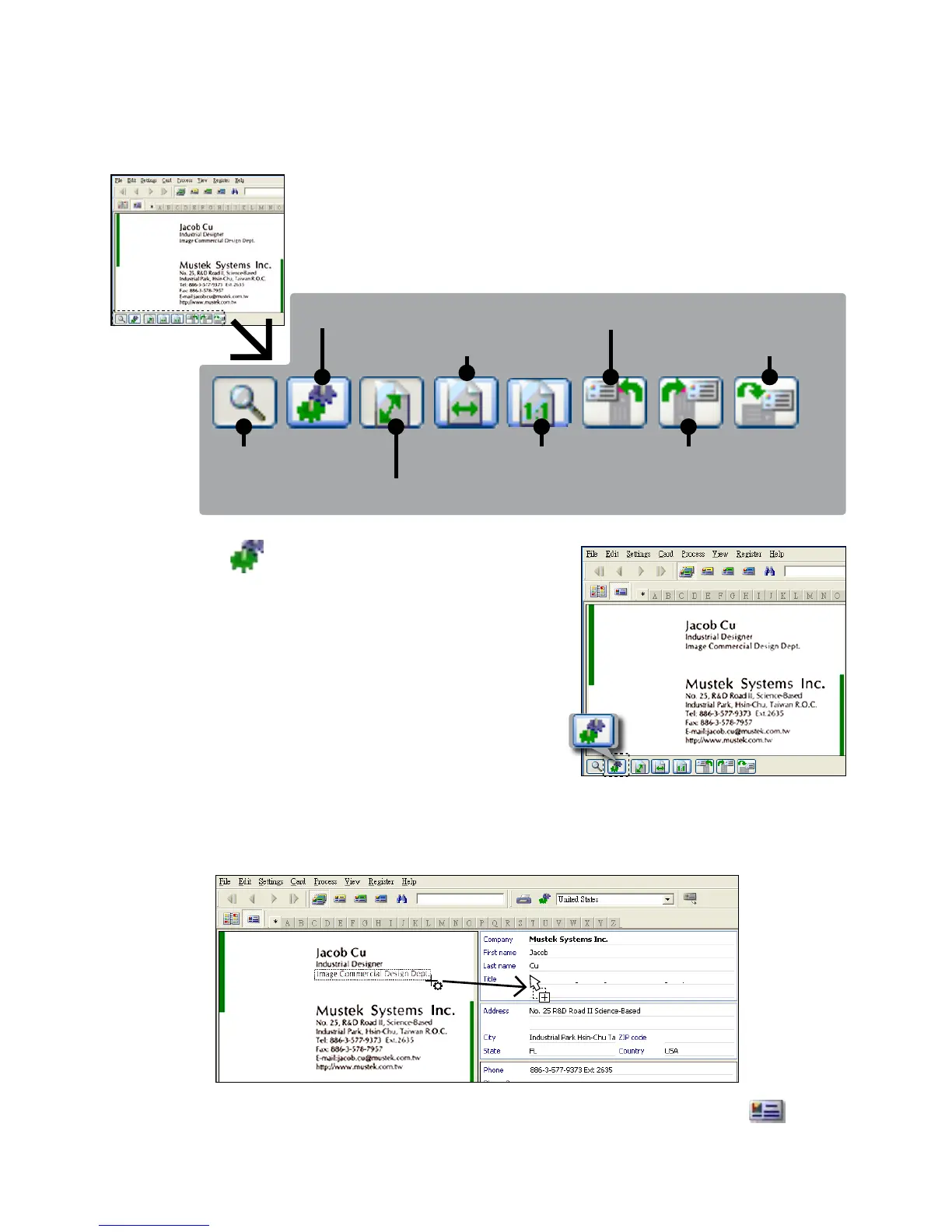
1. Select and click a function below to adjust the preview of the
scanned card.
Magnifying glass Actual size Rotate right
Drag-and drop data Rotate left
Fit the window
Fit to width
Turn upside
2. Click the (Drag-and-drop data)
button.
3. Select the area you wish to edit or
recognize again using a mouse.
4.Draganddroptheselectedsquaretothetargeteld.
Note: Drag-and-drop operation works only in the Card view ( ).













 To Next Page