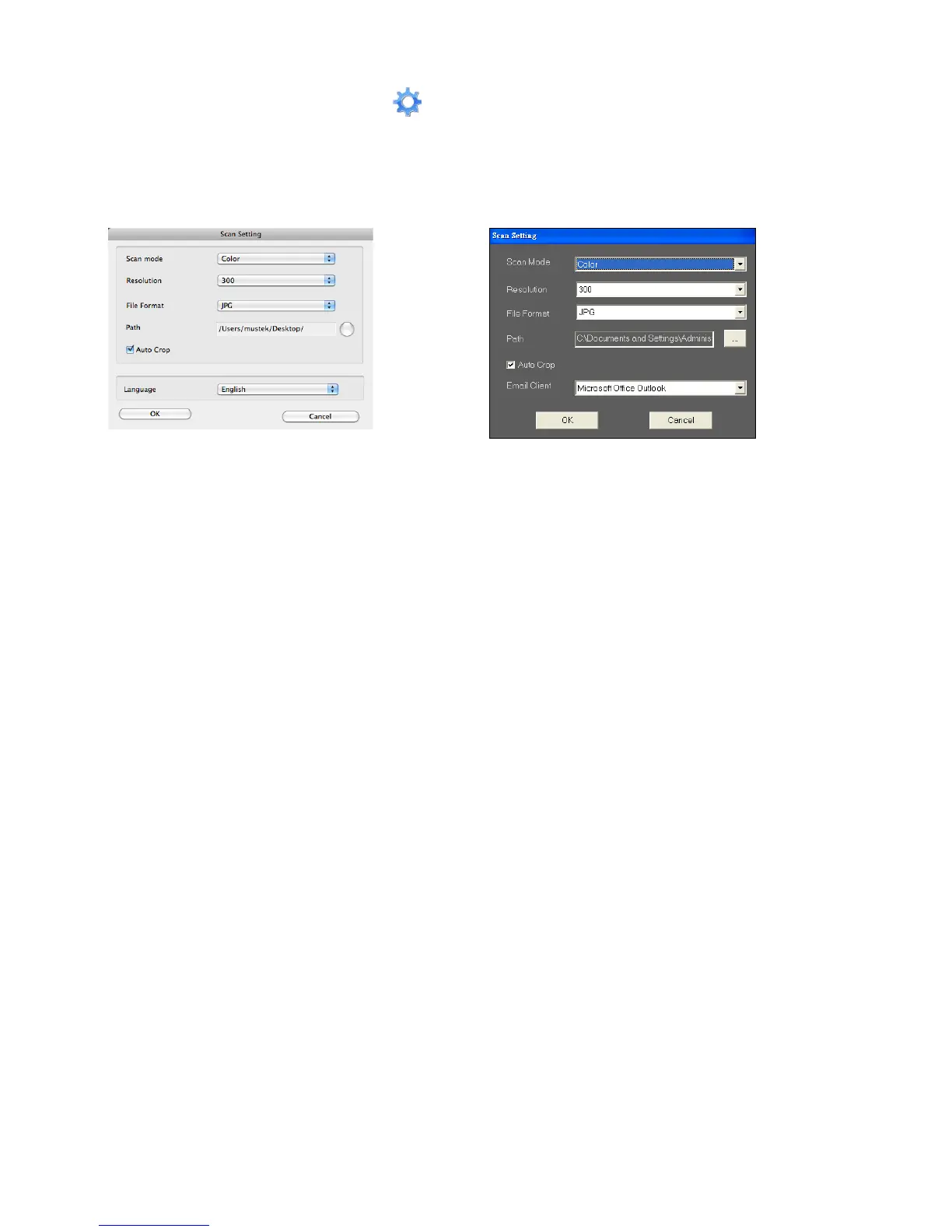
Scan Setting
1. Click the "Scan setting" icon on the panel. The scan setting
window will pop-up on the screen.
MAC OS PC OS
Note 1: Specify a directory in the Path for direct scanning.
Note 2: Select "AutoCrop" to automatically trim unwanted background
in the scanned image.
2. Select the preferred Scan
Mode, Resolution, File
Format, Path, AutoCrop and
Email Client settings and
click "OK".
2. Select the preferred Scan
Mode, Resolution, File
Format, Path, AutoCrop and
Language settings and click
"OK".













 To Next Page