Business card scanning
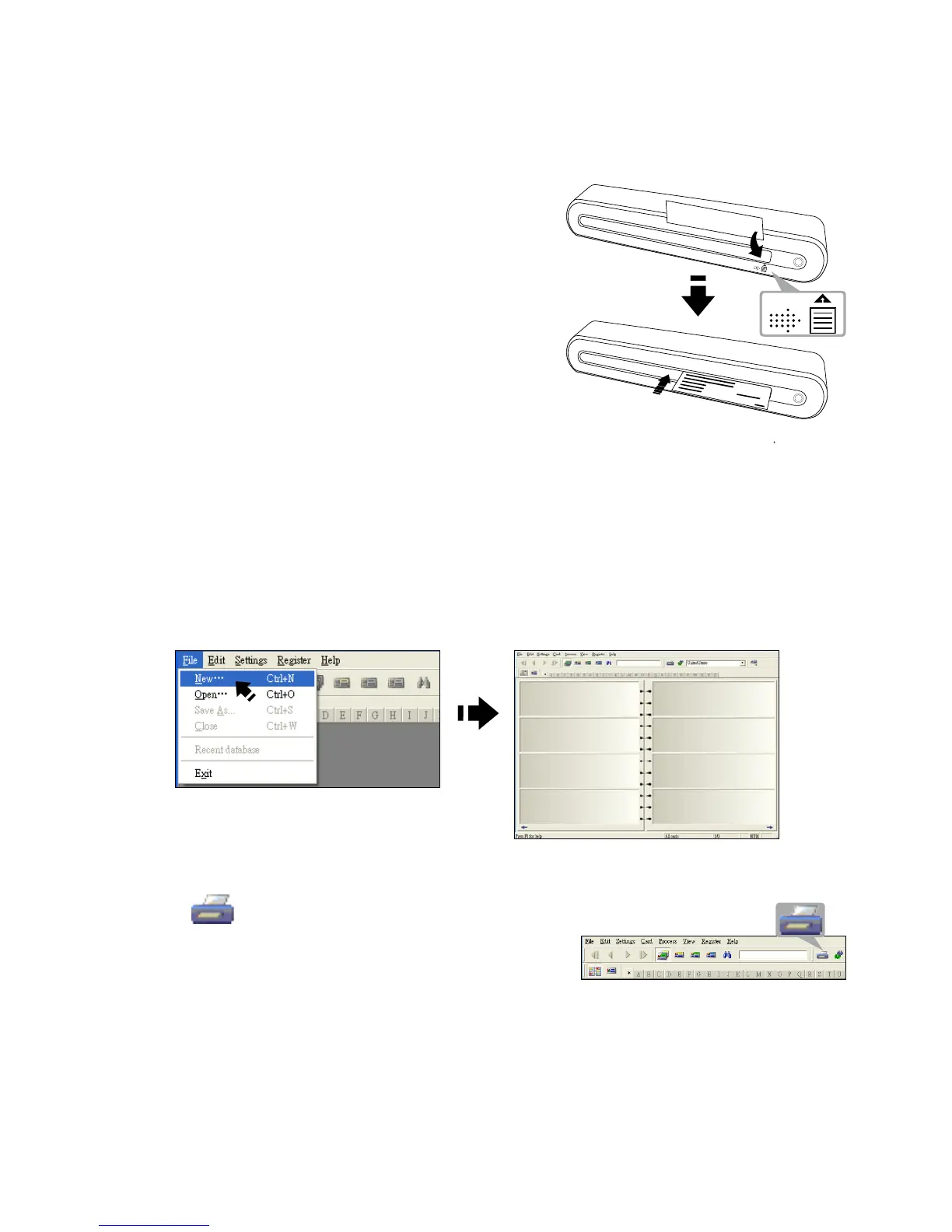
Insert a Business card
• To avoid the business card from shifting
when scanning, place the business card
against the right side of the paper feed
slot, and then gently push forward until
the business card is grasped by the
feed slot.
• To avoid the namecard inclined when scanning, place the namecard
align the indication which located in the right side of the scanner's front
panel.
Scanning the Business card
1. Click Start > All programs > I.R.I.S. Applications > Cardiris >
Cardiris.
2. Click File > New to create a new sheet.
3. Click (Scan Cards) button to bring
up the Scan setting dialog window.













 To Next Page