AP-76943_Rev 1.0 Page 7/19
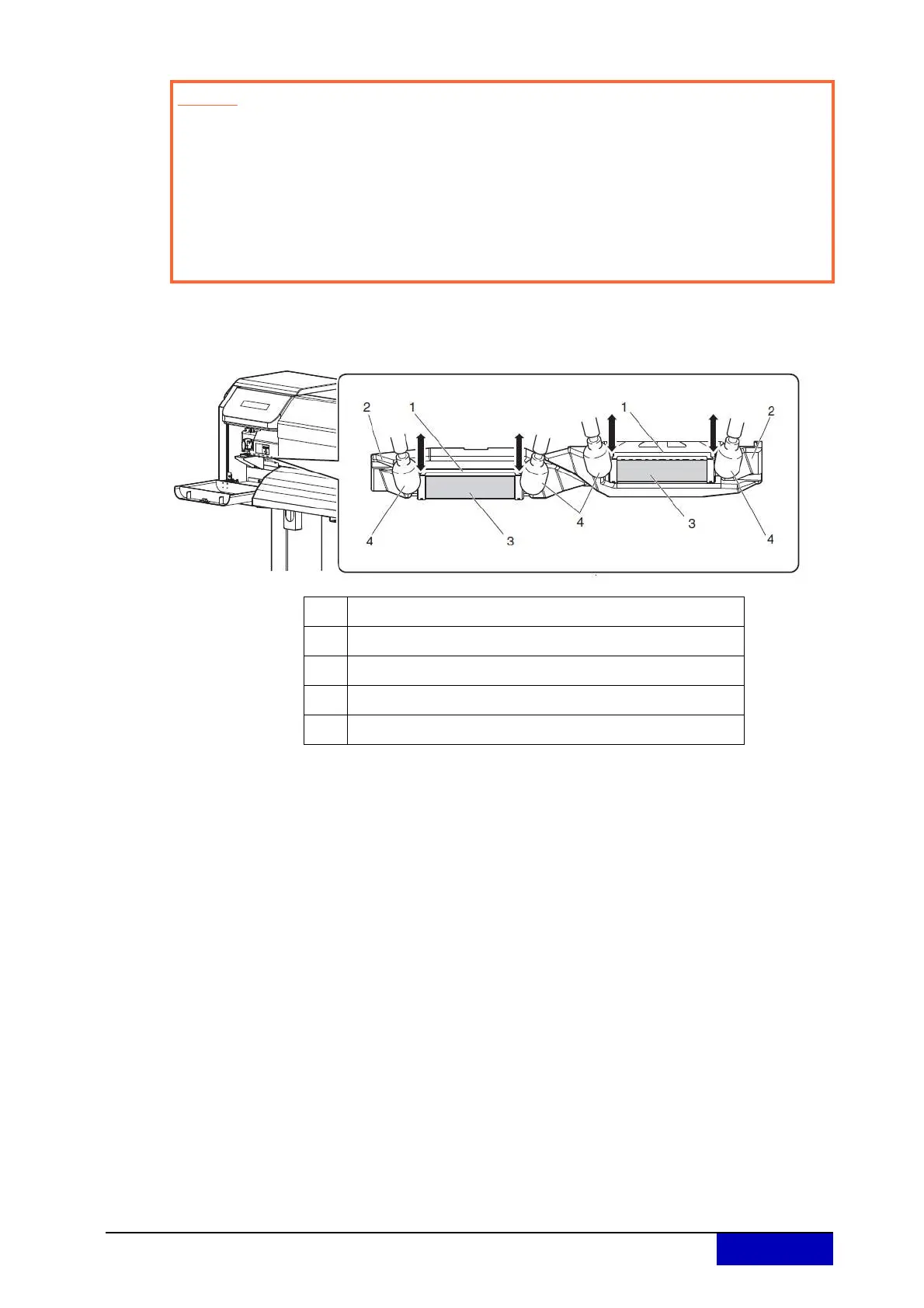
Step 7: When some foreign substance such as dust or ink clot is attached, use the cleaning
stick to remove it. To facilitate this action you can moisten the cleaning stick with
suitable cleaning liquid.
Step 8: Close the left maintenance cover firmly to make sure it is locked.
Step 9: Press the [Enter] key.
The print head returns to its original position.
“CR Mainte.: Start” is displayed.
Step 10: Press the [Cancel] key.
Cleaning around the print head is complete.
Caution
When cleaning around the print head,
Do not touch the nozzle plate. Doing so may damage the print head.
Do not touch the tip of the cleaning stick. The print head may be damaged because of
skin oil.
Never put water, etc. on the tip of the cleaning stick. Doing so may damage the print
head.
Do not reuse the cleaning stick. The attached dust, etc may damage the print head.
No. Name
1 Around the print head
2
Head guide
3 Nozzle plate
4 Cleaning stick











 To Next Page