VJ-1324 OPERATION MANUAL 3 Before using
3-13
• "Insert InkCartridges" is displayed on the operation panel.
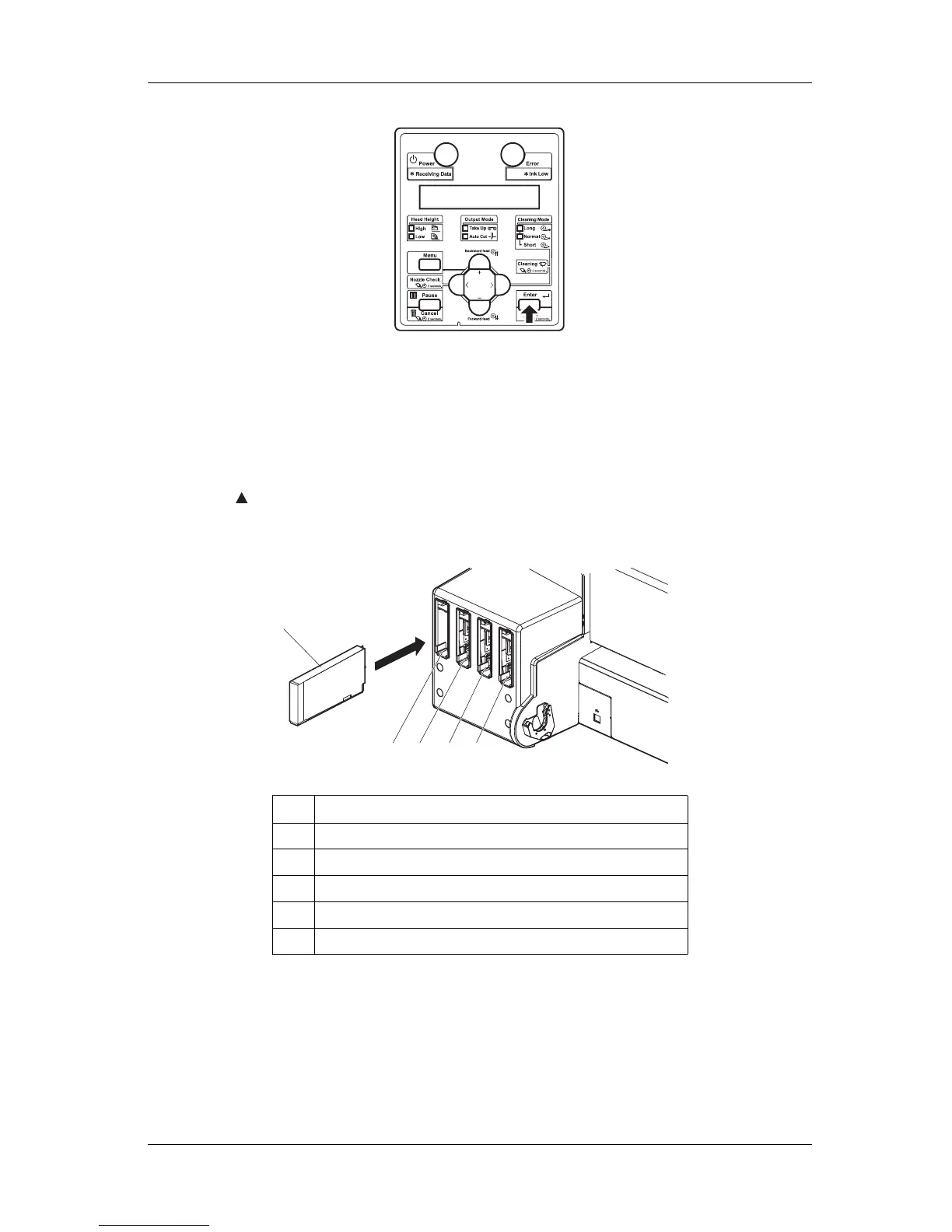
7. Take out the ink cartridge from the bag and shake it gently two to three times and insert it into the
printer.
• Make sure that the ink cartridges are inserted into the correct slots.
Match the mark in front of the slot and the color of the ink before inserting the ink cartridge.
• Keep mark of the ink cartridge facing up and insert towards the printer side.
• Insert the ink cartridge all the way to the end of the slot.
• "Ink Refill **%" is displayed on the operation panel and initial ink charge starts.
• Initial ink charge takes about four minutes.
Ink filling operation and pause operation are repeated during the initial ink charge.
• When "100%" is displayed, the initial ink charge is complete.
No. Name
1 Ink cartridge
2 Ink cartridge slot K
3 Ink cartridge slot C
4 Ink cartridge slot M
5 Ink cartridge slot Y
2 3 4
5
1















 To Next Page