3 Before using VJ-1324 OPERATION MANUAL
3-16
NOTE
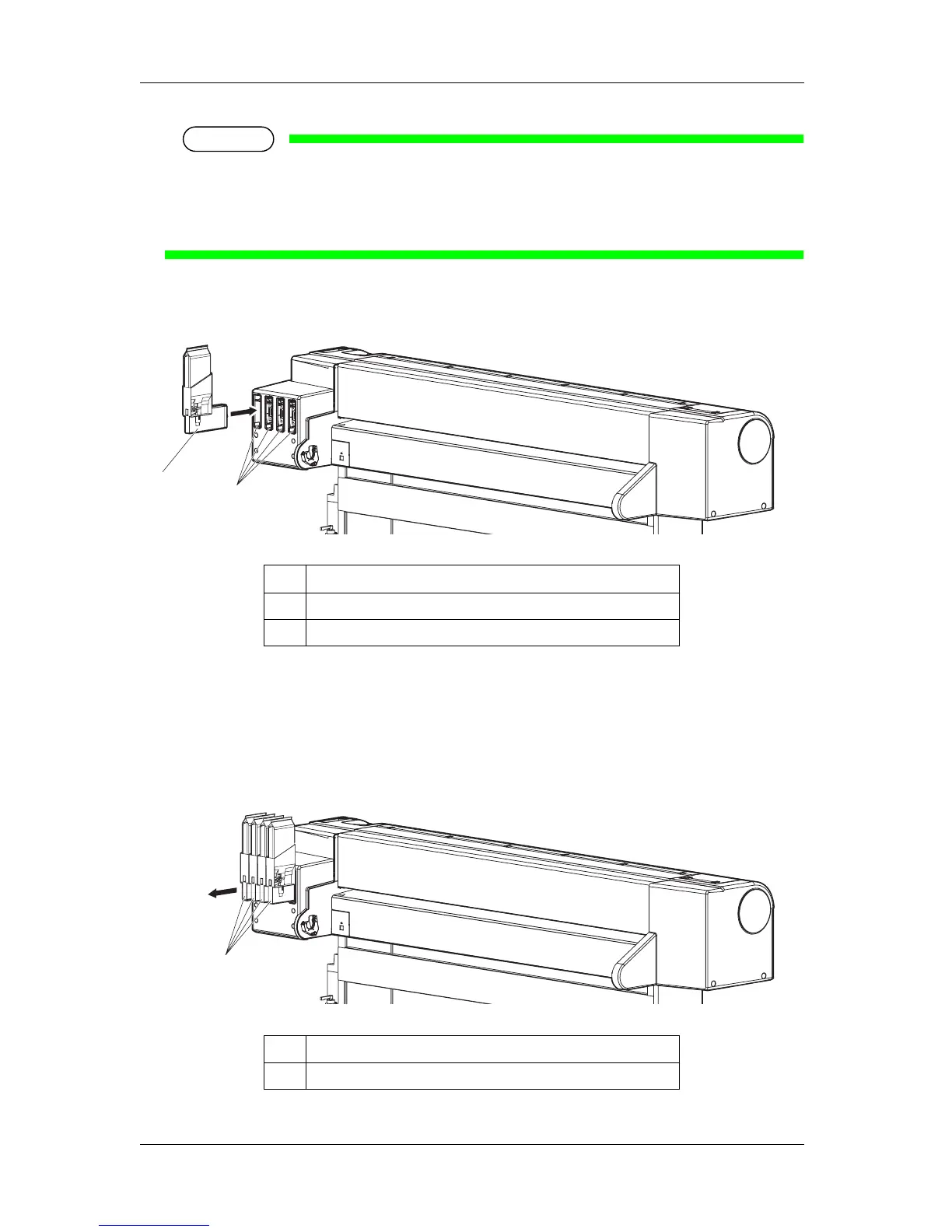
• Do not insert the high capacity pack adapter into the ink cartridge slot without a cleaning fluid
pack attached.
The information of the remaining amount will be overwritten and the cleaning fluid pack will
not be usable.
• Insert the high capacity pack adapter all the way to the end of the slot.
• When all high capacity pack adapters are installed, "Busy-Washing" is displayed on the
operation panel, and the printer starts charging the cleaning fluid.
• When the cleaning fluid has been charged, "Remove Cartridges" is displayed on the operation
panel.
6. Remove all the high capacity pack adapters.
No. Name
1 High capacity pack adapter
2 Ink cartridge slots
No. Name
1 High capacity pack adapter
1
2
1















 To Next Page