4 Handling the printer VJ-1324 OPERATION MANUAL
4-10
TIP
• The selected media (Type 1 to 30) is displayed in "**".
5.1.1 User Type menu
f. Press the [+] key or [–] key to select "**>3: PF Adjust>".
g. Press the [>] key on the operation panel.
• "PF1: Initial Print" is displayed on the operation panel.
• Proceed to Dist.Adj menu.
5.1.1.1.4 Dist.Adj menu
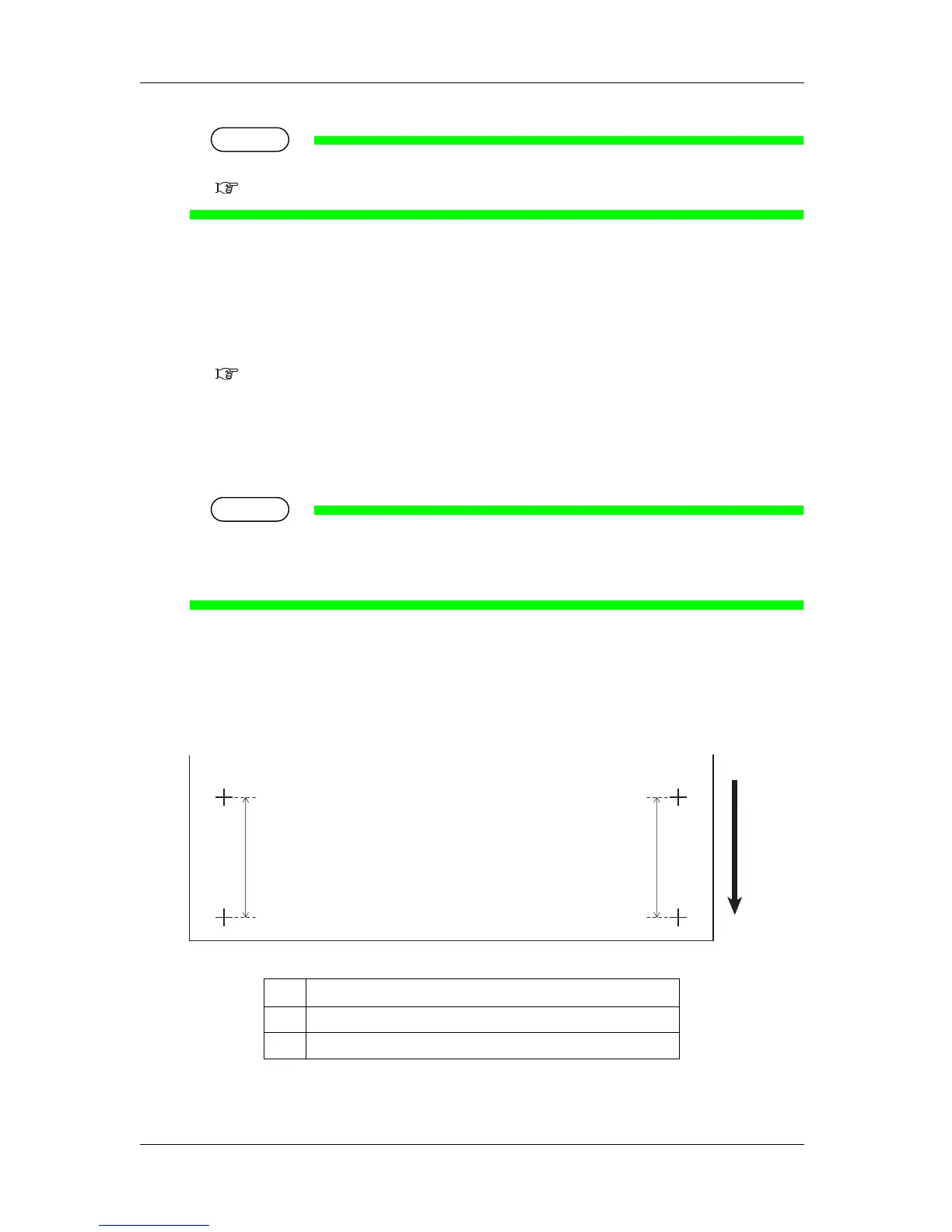
2. Performs Initial Print.
a. Press the [Enter] key on the operation panel.
• "Feed Length: 250 mm" is displayed on the operation panel.
TIP
• The length of media that is fed (feeding length) for Initial Print is normally set at 250 mm.
• If you increase the feeding length, the accuracy of the Media feed compensation improves.
To change the feeding length, press the [+] key or [-] key on the operation panel and change the set value.
b. Press the [Enter] key on the operation panel.
• "Printing" is displayed on the operation panel.
• Starts Initial Print.
• When the Initial Print is complete, the printer enters Normal.
No. Name
1 Feed length
2 Media feeding direction
2
1
1










 To Next Page