myPOS Smart Technical Specicaon & Warranty (Updated March 2018) | page 10myPOS Smart User Manual | page 10
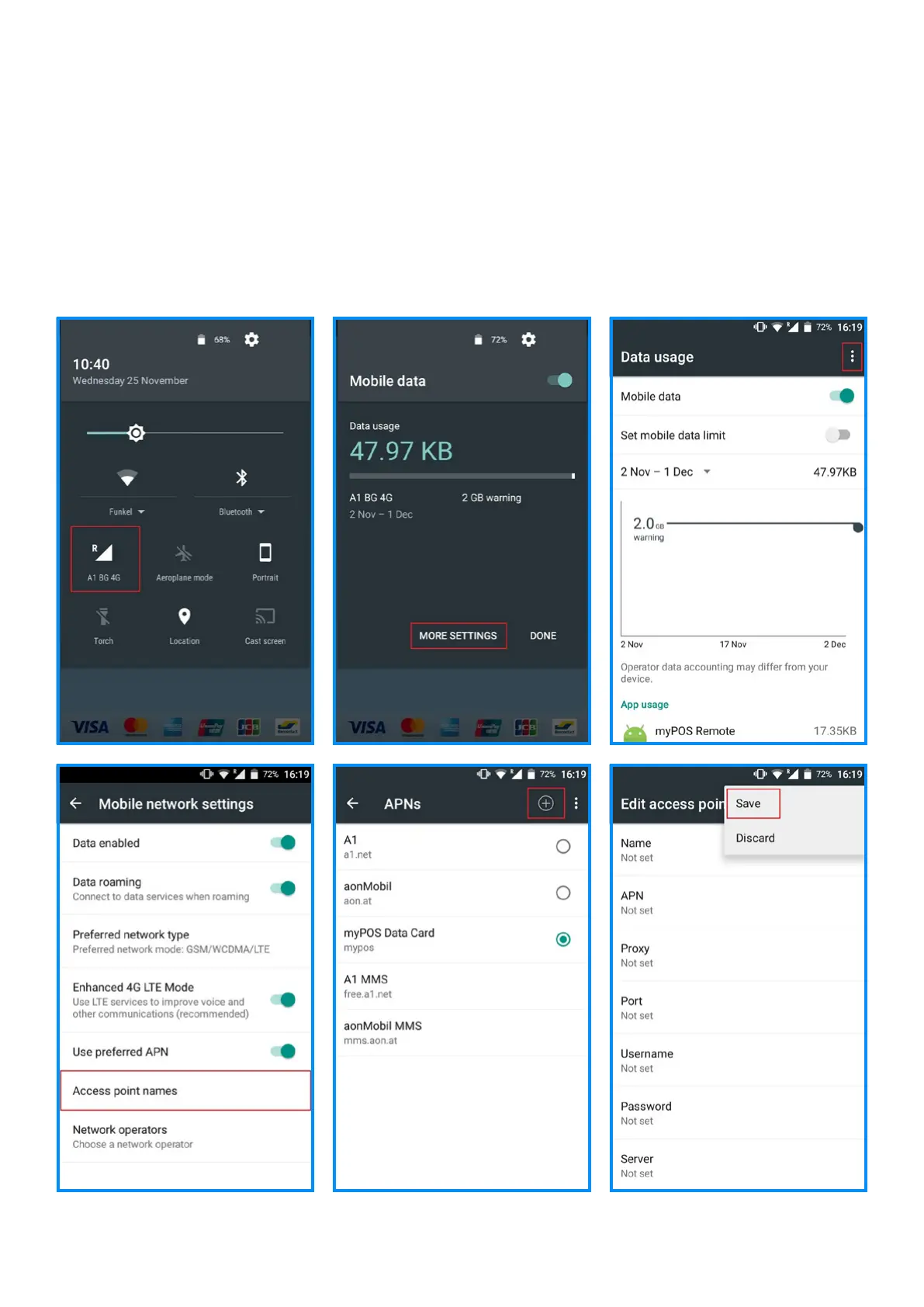
APN Settings
1. Drag down Quick sengs and click on Mobile network
icon
2. Select MORE SETTINGS
3. Press the 3 dots in the top right corner and select Mobile
networks
4. Select Access point names
5. Press + in the top right corner
6. Enter the APN sengs (Please, contact your network
operator to get the APN sengs)
7. Press the 3 dots in the top right corner and choose Save
8. Select the entered APN



 To Next Page