myPOS Smart Technical Specicaon & Warranty (Updated March 2018) | page 7myPOS Smart User Manual | page 7
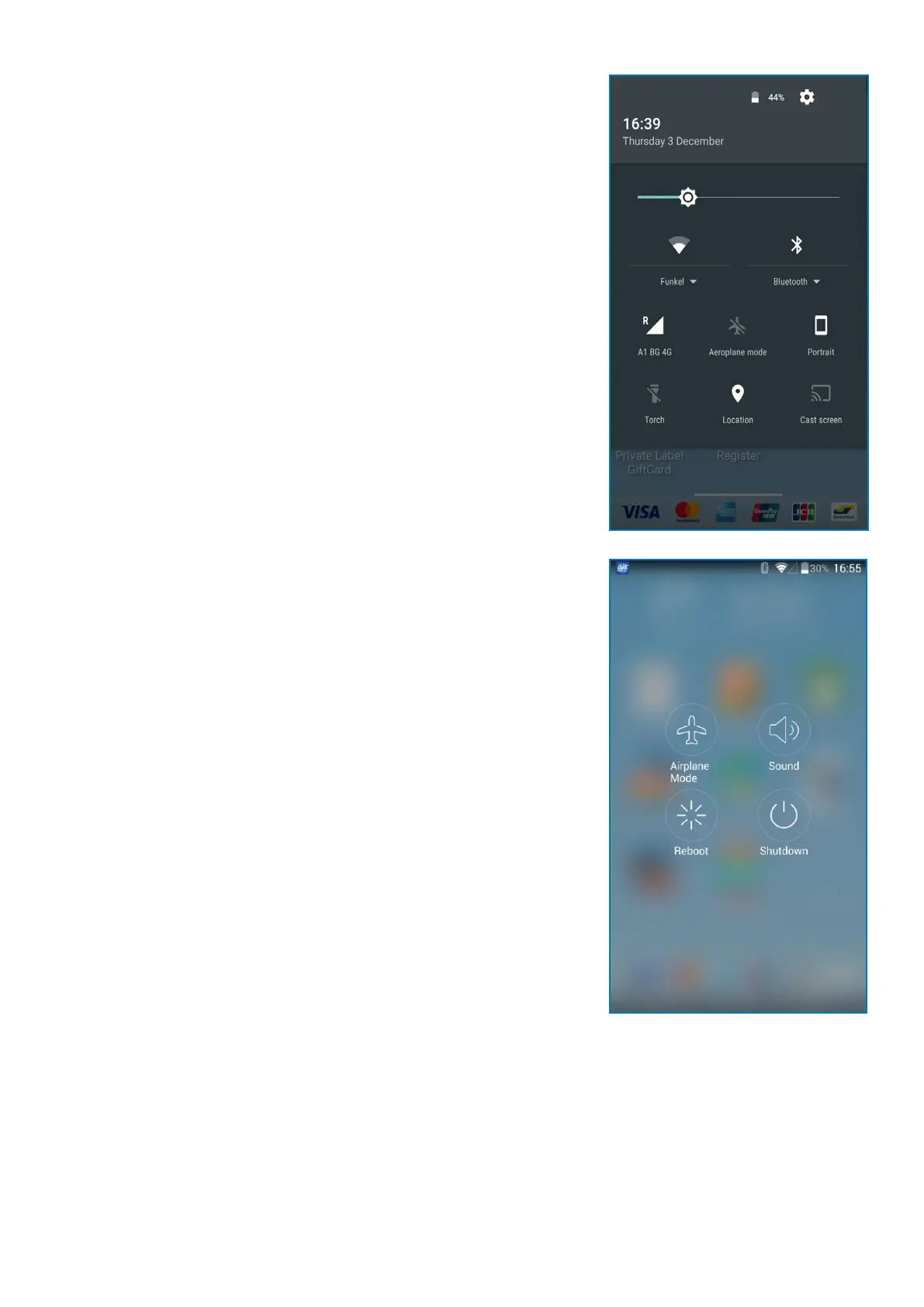
Quick Settings
The Nocaon panel also provides quick access to funcons, such as Wi-
Fi, Airplane mode, Bluetooth, and allows you to quickly turn them on or o.
To view and adjust the addional Quick sengs:
1. Drag the Status bar down to display the Nocaon panel.
2. Tap the sengs icon on the le.
3. Tap on any icon to turn it on or o.
By holding the On/O buon, you can access the following quick sengs:
• Airplane mode – tap to enable or disable the opon
• Sound – tap to switch to Silent or Vibrate mode or acvate the sound
of your device
• Reboot – tap to reboot the device
• Shutdown – tap to shut down the device



 To Next Page