myPOS Smart Technical Specicaon & Warranty (Updated March 2018) | page 3myPOS Smart User Manual | page 3
Activation
Every myPOS Smart device has a unique serial number. During the
acvaon, myPOS links the serial number of your myPOS Smart device to
your myPOS account. Once your new myPOS Smart device is acvated,
every transacon accepted with it, will be credited to your myPOS account.
You can link more than one myPOS device to one e-money account. In this
case, the payments accepted with all myPOS terminals will be credited to
the same myPOS account.
Your myPOS Smart device needs to be acvated before you can start
using it. To be able to complete the acvaon process, the device must
be connected to the Internet. Your myPOS Smart can use the Internet
connecon of a wireless router or a SIM Card.
Follow these simple steps to acvate your device:
1. Turn on the device
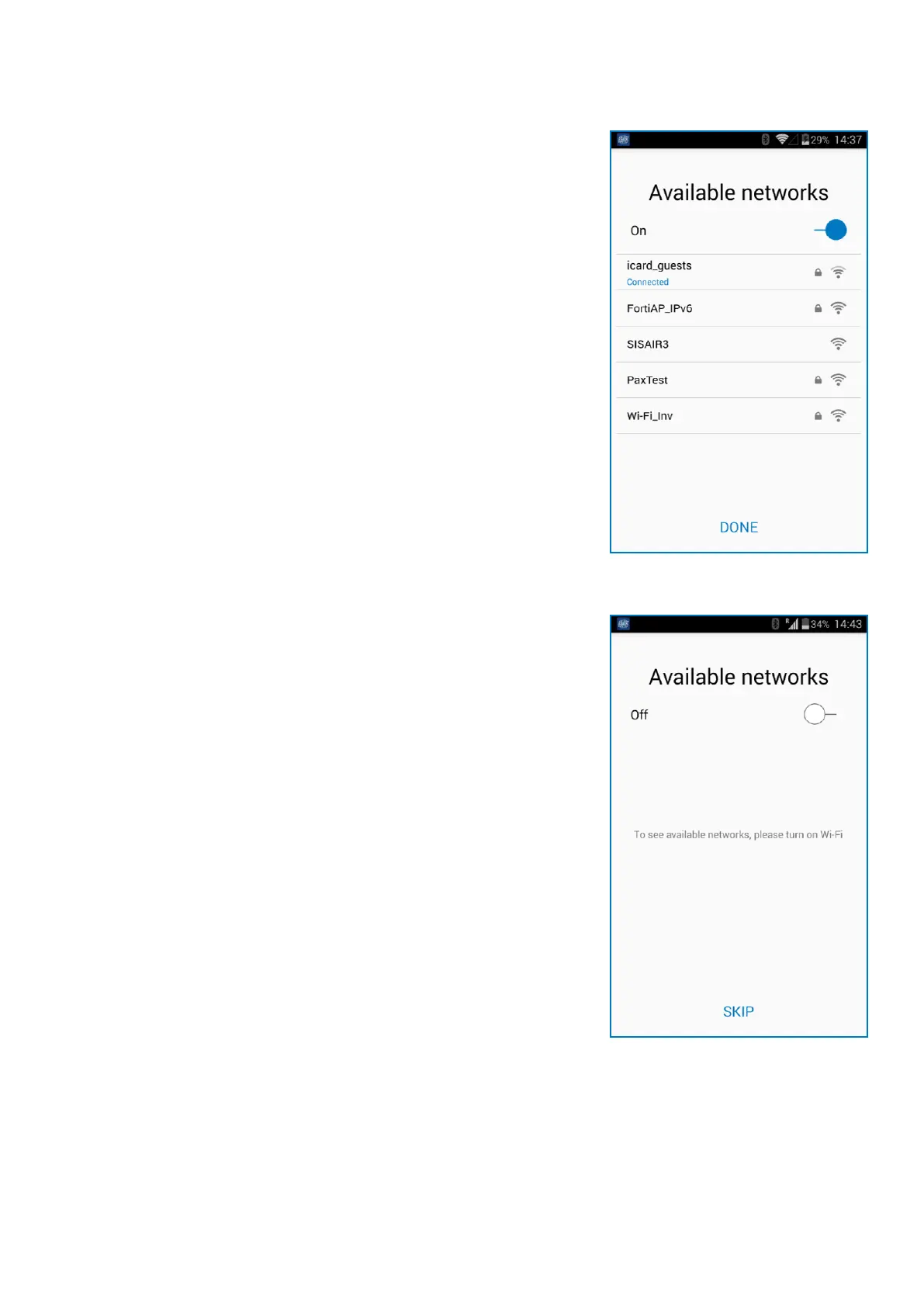
2. Choose type of connecon:
• To connect to a Wi-Fi network, turn on the Wi-Fi connecon to see all
available networks. Once successfully connected to a network, you can
proceed with the acvaon by tapping DONE.
• To connect to the Internet via the SIM card, turn o the Wi-Fi
connecon. If the SIM card is already inserted into your device your
myPOS Smart device, it will automacally connect to the Internet. As
soon as it’s successfully connected, the SKIP buon will appear. You
can proceed with acvaon by tapping on SKIP.



 To Next Page