TECHNICAL MANUAL - hyperion X5
8
PC CONFIGURATION EN
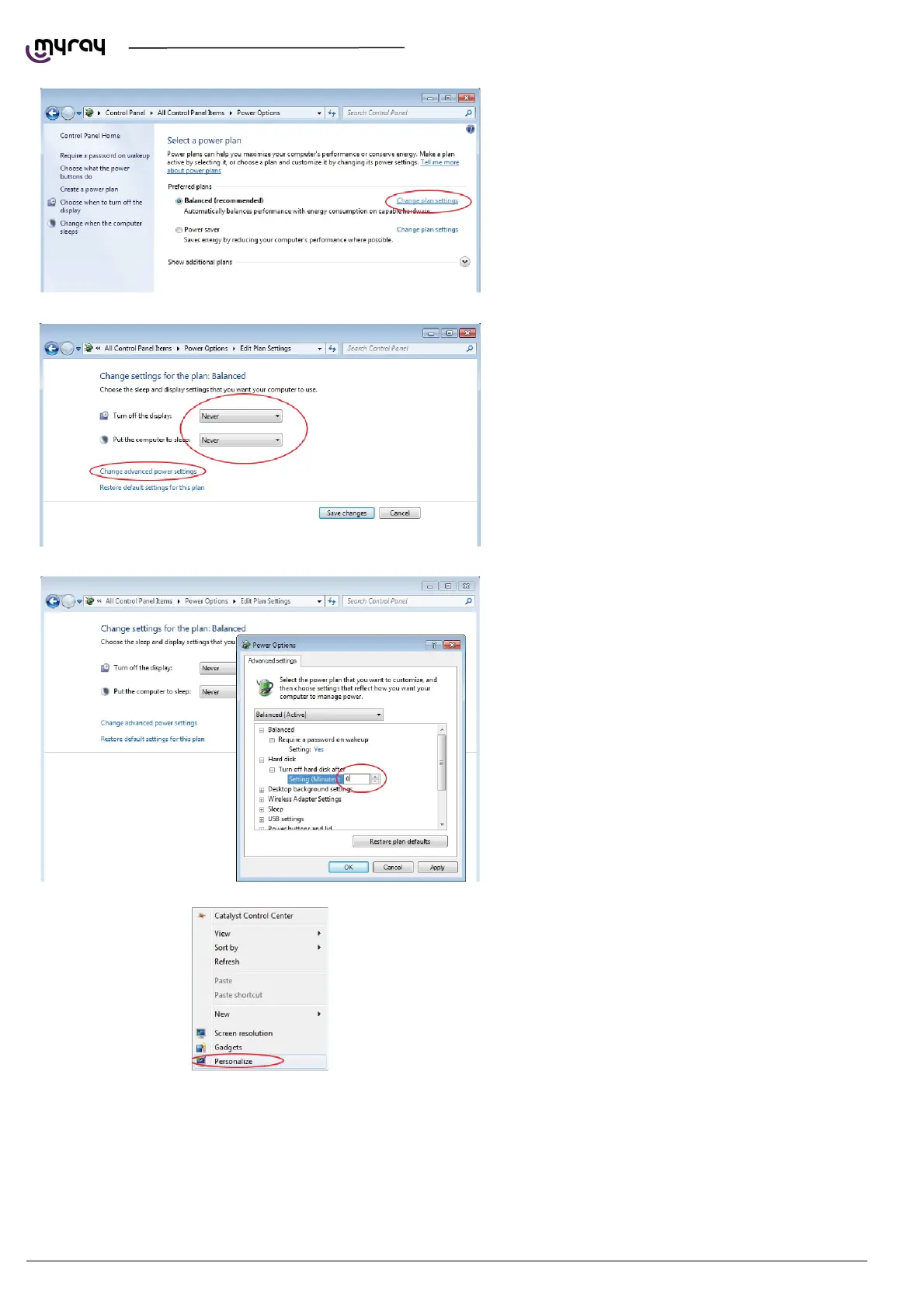
On the “Balanced”profile select “Change plan
settings”.
Set“Turn OFF display”and“Put the computer to
sleep”to“Never”. Select “Change advanced power
settings”.
Set“Hard disk Turn OFF hard disk after 0”.
lso deactivate any screensaver. To do this right
click on the mouse on any icon-free desktop or
window area and select “Personalize” from the
menu.



 To Next Page