TECHNICAL MANUAL - hyperion X5
6
PC CONFIGURATION EN
1.2. SETTING UP THE DEVICE
1.2.1. PRELIMINARY OPERATIONS
The acquisition server must comply to the system requirements detailed above. If provided from Cefla, the complete
software comes preinstalled, otherwise it will be strictly mandatory to choose a compliant PC and install the software
correctly.
The 2 network adapters on the acquisistion server are needed for communication with the hyperion X5.
One of these network adapters is used for a direct connection with the image detector on the X5.
If the acquisition server is not purchased from Cefla, the network adapter will be provided in the accessories box of the
hyperion X5 and will need to be installed and configured on site.
The dedicated network adapter is an Intel Pro 1000 and will need a free PCI-E slot on the motherboard of the acquisition
server to be installed.
The only supported operating system for the acquisition server is WINDOWS 7 PRO 64 bit. The Intel Pro 1000 will be
automatically recognized by the operating system and drivers will be installed automatically.
The acquisition server must be accessed with an Administrator level user account.
IMPORTANT: for up to date video card drivers please refer to Cefla's extranet website.
The Microsoft .NET Framework 4.0 are required for the software to work and will be installed together with the video
card drivers.
Please make sure that the following entries are present in the installed programs list:
If the libraries were not installed automatically, please download them from the Microsoft website and install them
manually.
1.2.2. OPERATING SYSTEM SETTINGS
”.
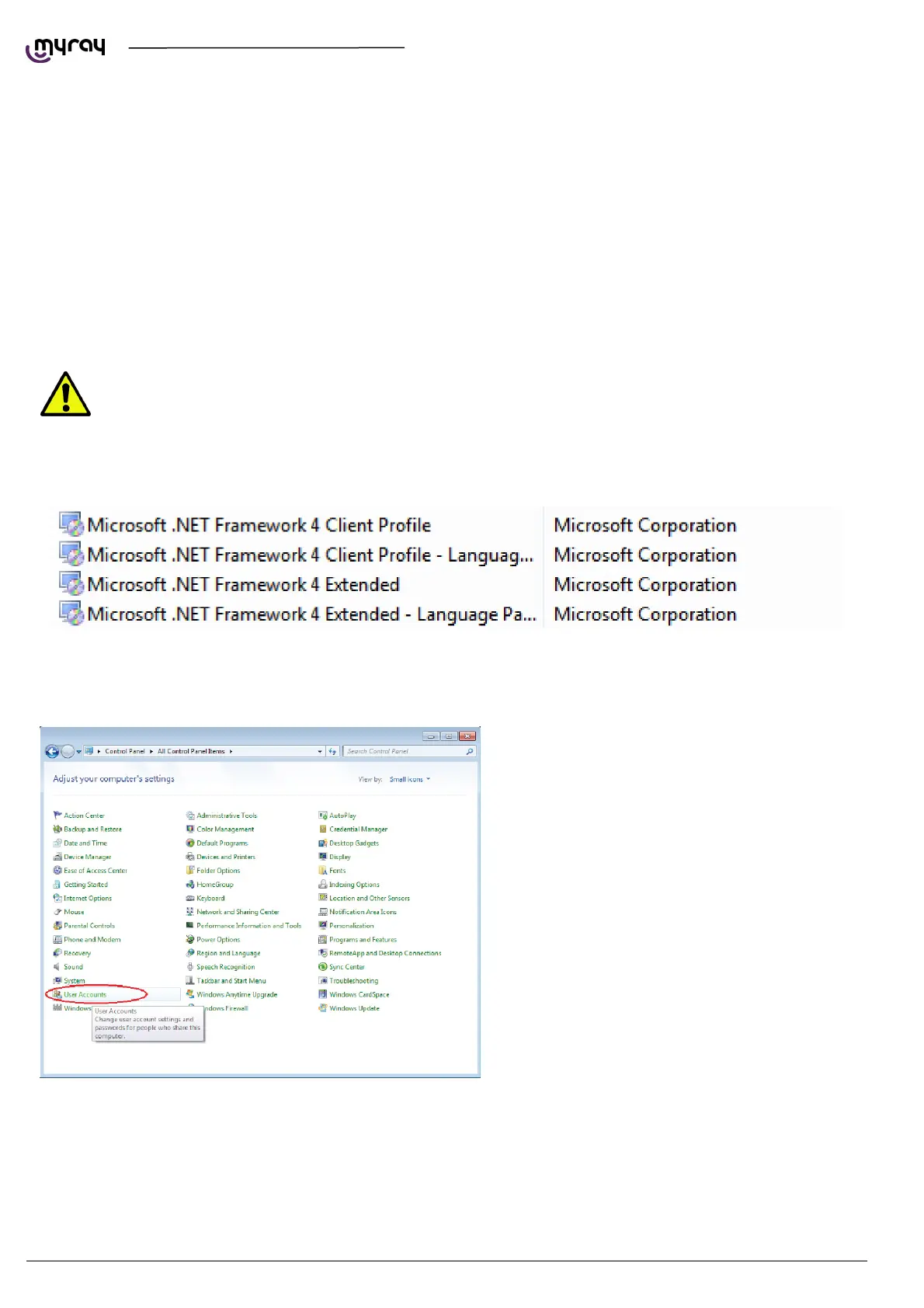
Open the Control Panel , select “User
Account”and then “Change User Account Control
Settings”.



 To Next Page