TECHNICAL MANUAL - hyperion X5
10
PC CONFIGURATION EN
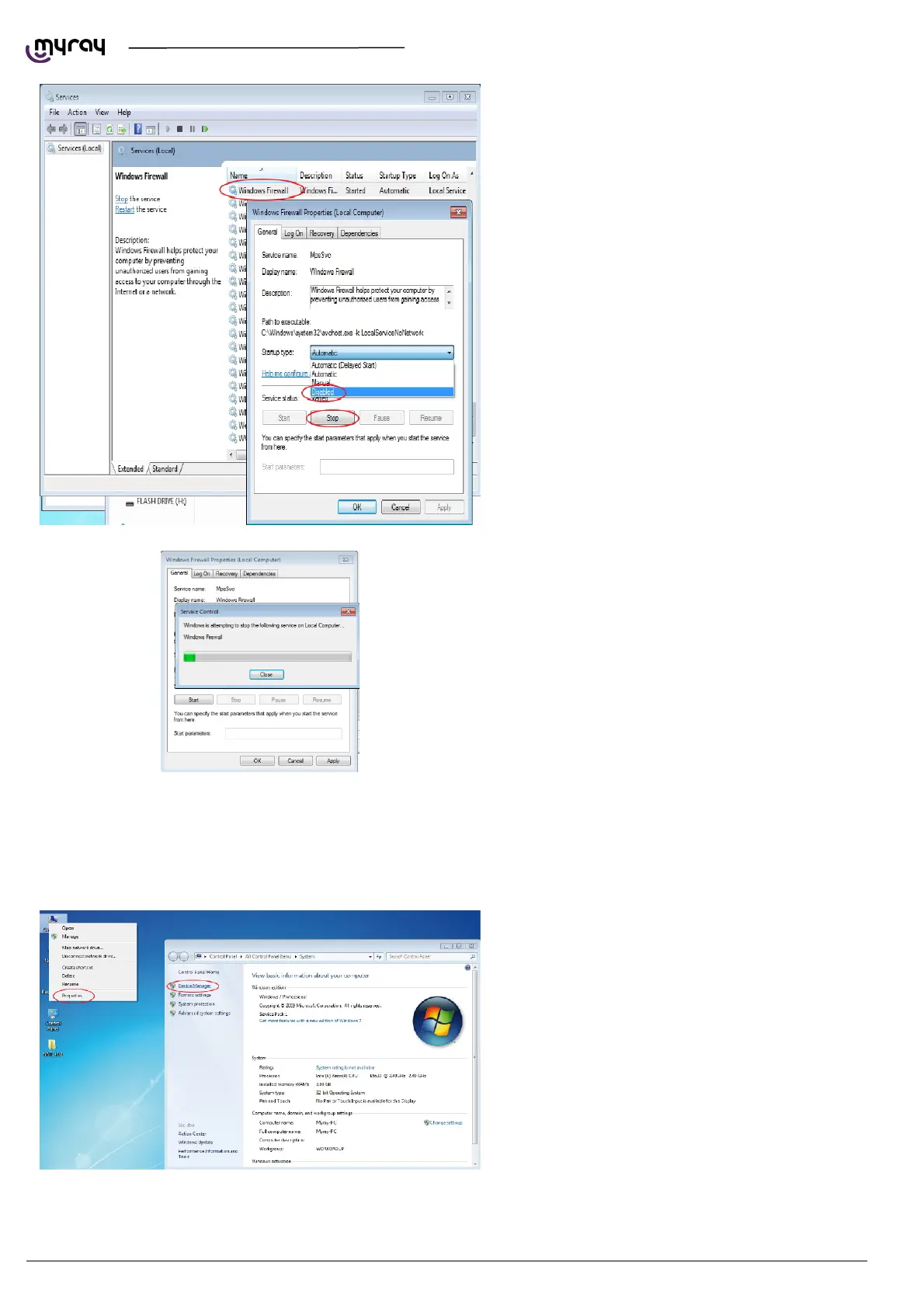
Scroll down the service list, right click on the
“Windows firewall” service and double click.
Go to the “Startup type” drop-down menu and
select “Disabled”. Then press the “Stop” key to
stop the service currently being executed.
Wait until the service is stopped:
Click on “OK” to close the dialogue window.
From the Windows Services list, search for “Windows update”, stop the service and disable the automatic startup.
1.2.4. INTEL PRO 1000” NETWORK CARD INSTALLATION
Right click with the mouse on “Computer”, select
“Properties” and select “Device Manager” in the
left column.



 To Next Page