TECHNICAL MANUAL - hyperion X5
22
PC CONFIGURATION EN
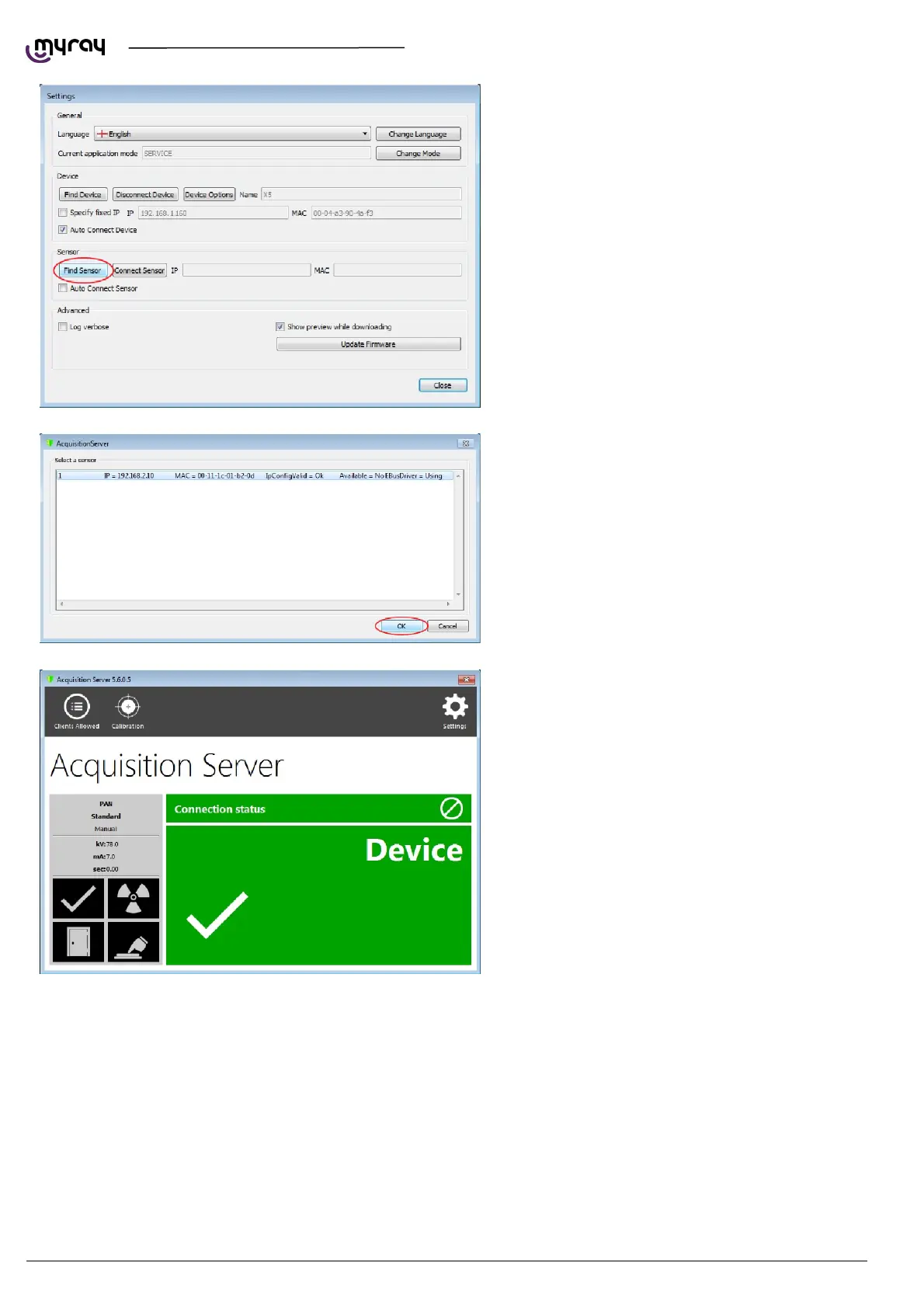
Now the link to the image detector needs to be
estabilished. Click on “Settings” and then on “Find
Sensor”.
The image detector will be detected automatically.
Select the line and confirm by clicking “OK”.
The acquisistion server should show full green
status now:
1.3.2. IRYS INSTALLATION AND CONFIGURATION
The imaging software used with Hyperion X5 is “iRys” (version 5.5 or later), installed in “Station” version.
It is not strictly necessary to install iRys on the Acquisistion Server PC, iRys can be installed on any PC in the network
that could communicate with the Acquisition Server PC.



 To Next Page