TECHNICAL MANUAL - hyperion X5
EN
PC CONFIGURATION
9
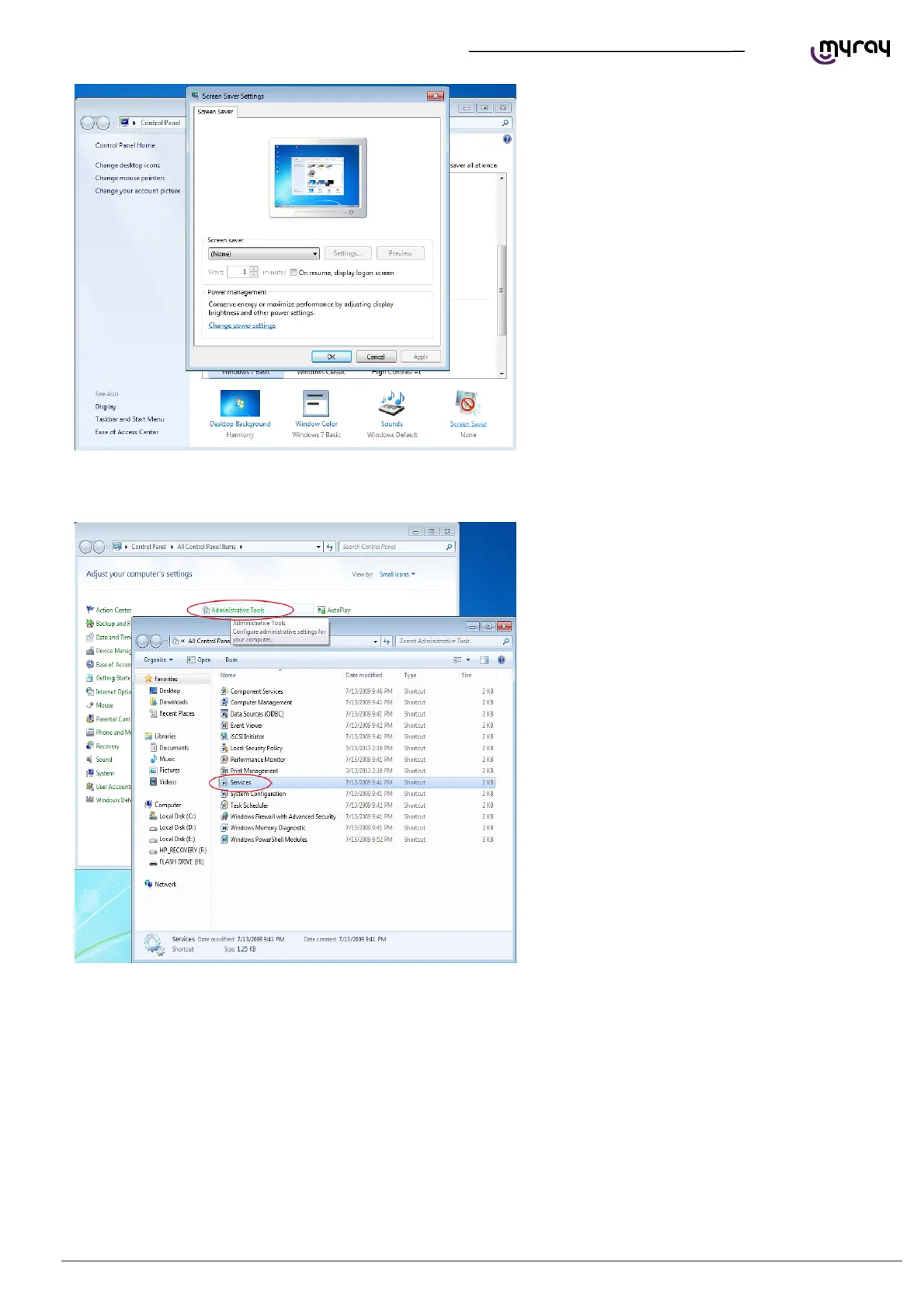
lso deactivate any screensaver. To do this right
click on the mouse on any icon-free desktop or
window area and select “Personalize” from the
menu.
1.2.3. DISABLING WINDOWS FIREWALL
From the Control Panel select “Administrative
Tools” and double click on “Services”:



 To Next Page