TECHNICAL MANUAL - hyperion X5
36
CALIBRATION EN
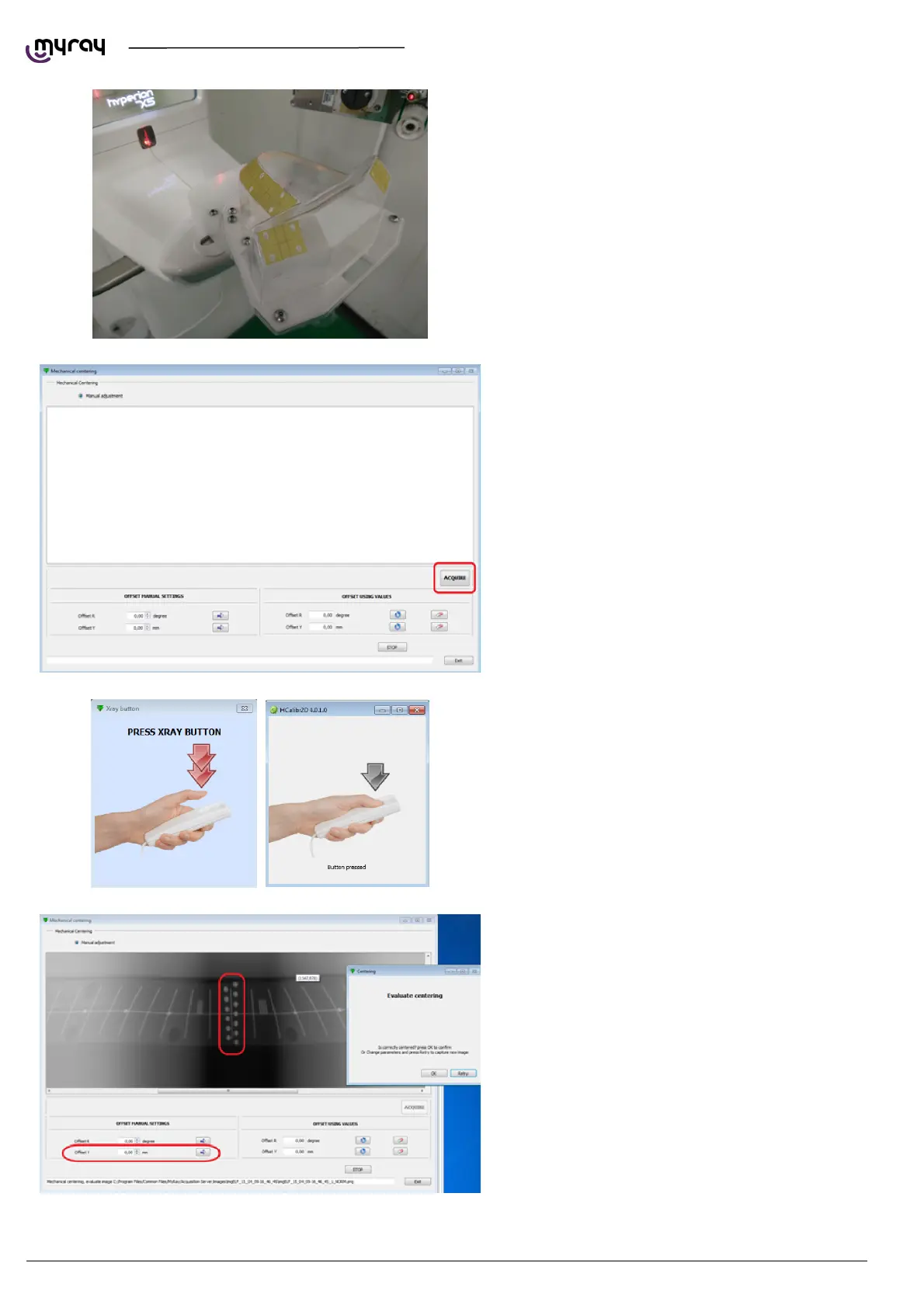
Click on “Acquire”.
Press the exposure button when required, hold
until asked to release.
The calibration software will download a complete
panoramic image and will show it on screen. You'll
need to verify that the focal area is centered. Use
the dots as reference. The numbero of blurred
dots above and below the central line should be
the same.
In case the focal area is not centered, modify the
“offset Y” value, click on the arrow and then on
“Retry”.
Click “OK” to confirm once the focal area is
centered.



 To Next Page