ID
The user ID for the ADSL connection
PASSWORD
The password for the ADSL connection
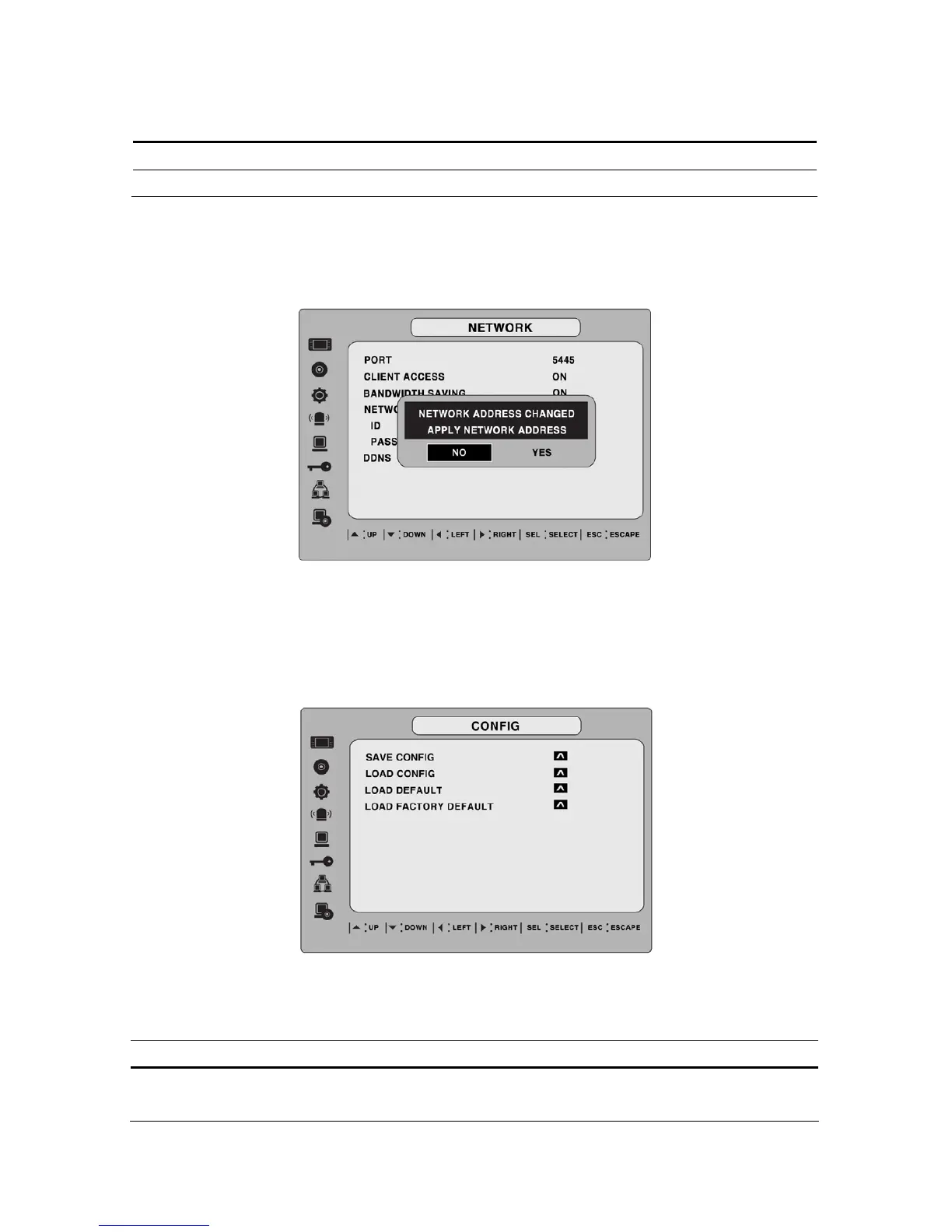
3-8-3. Saving Setup of Network setup
After changing the network configuration, confirmation window will popup. To preserve the setup
values that you have selected, select YES. Then system will reboot.
Figure 3.8.5. Network setup screen – SAVE SETUP
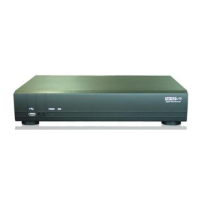
3-9. Setup - CONFIG Mode
User can control the configuration of DVR.
Figure 3.9.1. Config setup screen
Table 3.9.1. config setup
Item Description
SAVE
CONFIG
User can save the current configuration (Setting values) of DVR to the USB
memory stick. Put the USB stick on the front panel and press SEL to start
41


 To Next Page