9-4. Live viewer
When installation is complete, double click the icon on your desktop to start the
program.
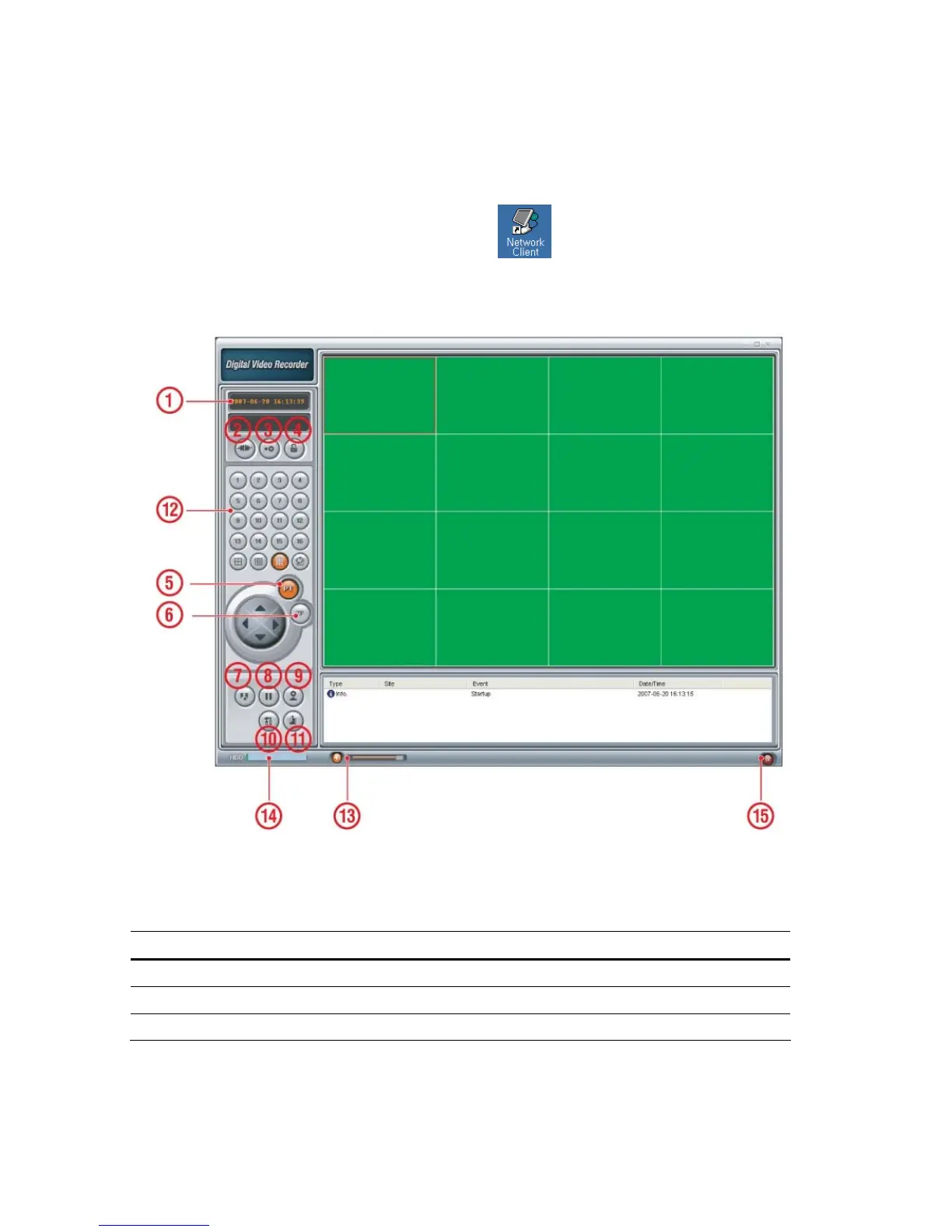
Figure 9.4.1. Main user interface
Table 9.4.1. Main controls in Live
NO Button Description
1
DATE & TIME
Displays the current date and time.
2
CONNECT
Click this icon to connect to the DVR
3
SEARCH
Click this icon to search for recorded video.
58


 To Next Page