EasyManua.ls Logo

Nanoptix PayCheck - User Manual

Nanoptix PayCheck
25 pages
Print Icon
To Next Page IconTo Next Page
Loading...
First Edition: December 2008
Latest update: February 2009
Document #: 720002-0000R

Table of Contents

Other manuals for Nanoptix PayCheck

Questions and Answers

Summary

Legal Notices and Compliance

Disclaimer, Copyright, and Trademarks

Contains legal notices including disclaimer, copyright, and trademarks.

FCC and IC Compliance Statements

Details FCC and Industry Canada compliance statements for radio frequency interference.

User Information and Requirements

Product Safety & Marking Requirements

Details requirements for power supply, interface cables, and CE/FCC marking.

About the Printer

Product Description

Overview of the Nanoptix PayCheck printer's features and portability.

Printer Model Identification

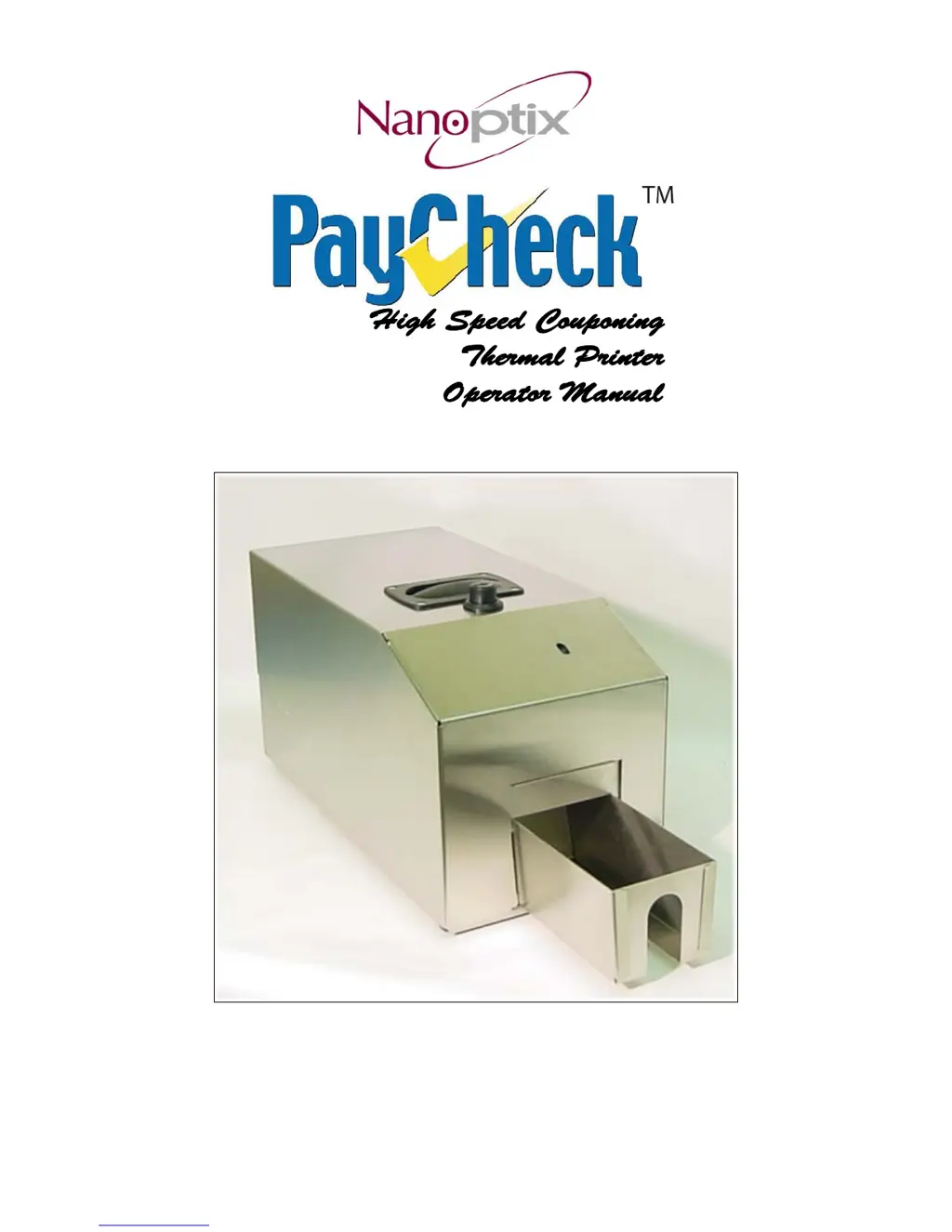
Identifies the printer model shown in Figure 1.

General Specifications

Printer Controls and Operation

Paper Loading Procedure

Step-by-step instructions for loading fanfold paper into the printer.

Aligning Paper Edge

Guides on aligning the paper edge with the input paper guide.

Closing the Printer Cover

Instructions on how to properly close the printer's top cover.

Printer Calibration

Resetting the Printer

Paper Feed Button Function

Status Indicators

Printer Testing Procedure

Clearing Paper Jams

Troubleshooting the Printer

Printer Interface Ports

Identifies the physical interface ports on the printer and their functions.

Communication Interface Details

RS-232 (DB-9) Pinout

Details the pin assignments for the RS-232 serial interface.

Sensors and Switches

Printing Problems Troubleshooting

Printer Not Working Troubleshooting

Media and Supplies

Media Specifications

Specifies the required thermal paper dimensions and properties.

Ordering Thermal Paper

Lists recommended suppliers for thermal paper.

Mechanical Drawings

Side View with Cover Open

Provides a side view mechanical drawing of the printer with cover open.

Side View with Cover Closed

Shows a side view mechanical drawing of the printer with the cover closed.

Front View with Cover Closed

Displays a front view mechanical drawing of the printer with the cover closed.

Print Cleaning Instructions

Cleaning the Print Head

Instructions for cleaning the print head using a cotton swab and IPA.

Cleaning the Platen Roller

Instructions for cleaning the platen roller with a cotton swab and IPA.

Cleaning the TOF Sensor

Method for cleaning the index mark (TOF) sensor with vacuum or compressed air.

Service and Support

Printer Repair (RMA) Process

Process for requesting repairs and shipping defective printers.

Technical Support Contacts

Provides contact details for Nanoptix technical support.

Nanoptix PayCheck Specifications

General IconGeneral
Power Supply24V DC
Print TechnologyThermal
Print Speed150 mm/s
Resolution203 dpi
ConnectivityUSB, Serial
Paper TypeThermal paper
Operating Temperature32° to 104°F (0° to 40°C)
Storage Temperature-20°C to 60°C

Related product manuals