December 2008
Document #: 720002-0000R 18
3. Follow steps in section 2.7 to access printing mechanism
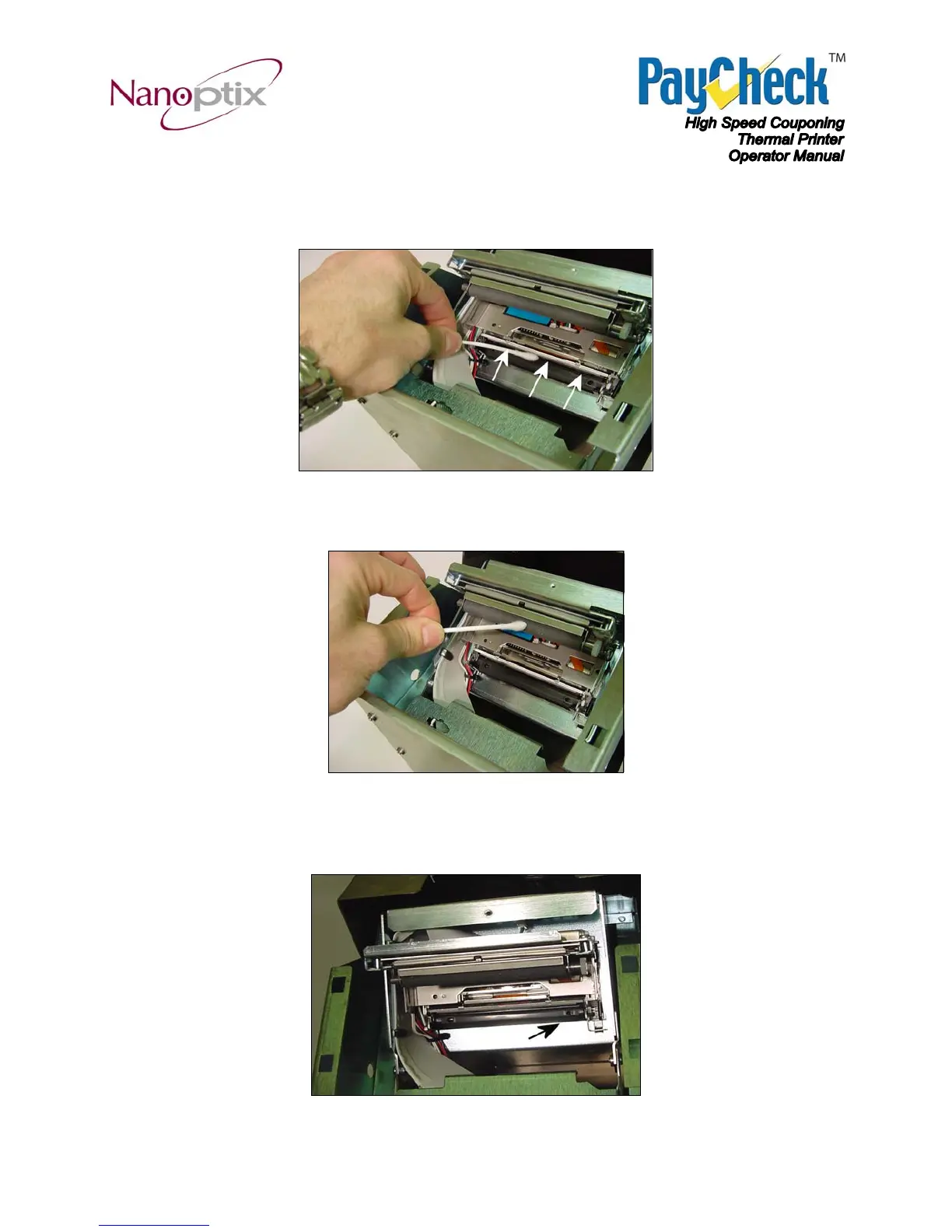
area. Remove paper dust and clean the printing elements line (black line on the
print head) with a cotton swab and (IPA) isopropyl alcohol
Figure 20: Clean printing head
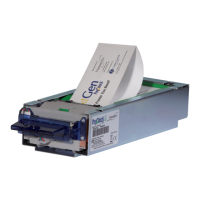
4. Clean the platen roller with a cotton swab and (IPA)isopropyl alcohol
Figure 21: Clean roller
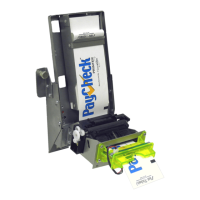
5. Clean index mark (TOF) sensor using portable vacuum cleaner or compressed
air
Figure 22: Clean TOF sensor


 To Next Page