December 2008
Document #: 720002-0000R iv
Table of Contents
Table of Contents ............................................................................................................iv
1. About the Printer.......................................................................................................1
1.1 Description of Printer...................................................................................................................1
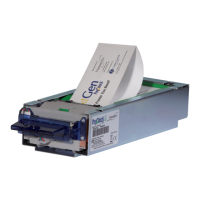
1.2 Nanoptix PayCheck High Speed Couponing Thermal Printer.................................................1
1.3 General Specifications ..................................................................................................................2
2 Printer Controls.........................................................................................................3
2.1 Paper Loading ...............................................................................................................................3
2.2 Calibrate Printer...........................................................................................................................6
2.3 Resetting Printer ...........................................................................................................................7
2.4 Paper Feed Button ........................................................................................................................7
2.5 Status LED.....................................................................................................................................8
2.6 Testing the Printer ........................................................................................................................9
2.7 Clearing Jams..............................................................................................................................10
3 Troubleshooting the Printer ...................................................................................11
3.1 Printer Interface Ports................................................................................................................11
3.2 Pin Designation of Communication Interfaces.........................................................................12
3.2.1 RS-232 (DB-9)..........................................................................................................................12
3.3 Sensors & Switches .....................................................................................................................12
3.4 Printing Problems .......................................................................................................................13
3.5 Printer Does Not Work...............................................................................................................13
4 Media and Supplies Guide......................................................................................14
4.1 Media Specifications ...................................................................................................................14
4.2 Ordering Thermal Paper............................................................................................................14
5 Mechanical Drawings..............................................................................................15
6 Print Cleaning Instructions.....................................................................................17
7 Service & Support ...................................................................................................19
7.1 Returning Printers back to Nanoptix for Repairs (RMA) ......................................................19
7.2 Technical Support Contact Information...................................................................................19


 To Next Page