4 Measuring with the NBM-520
30 NBM-520 Narda
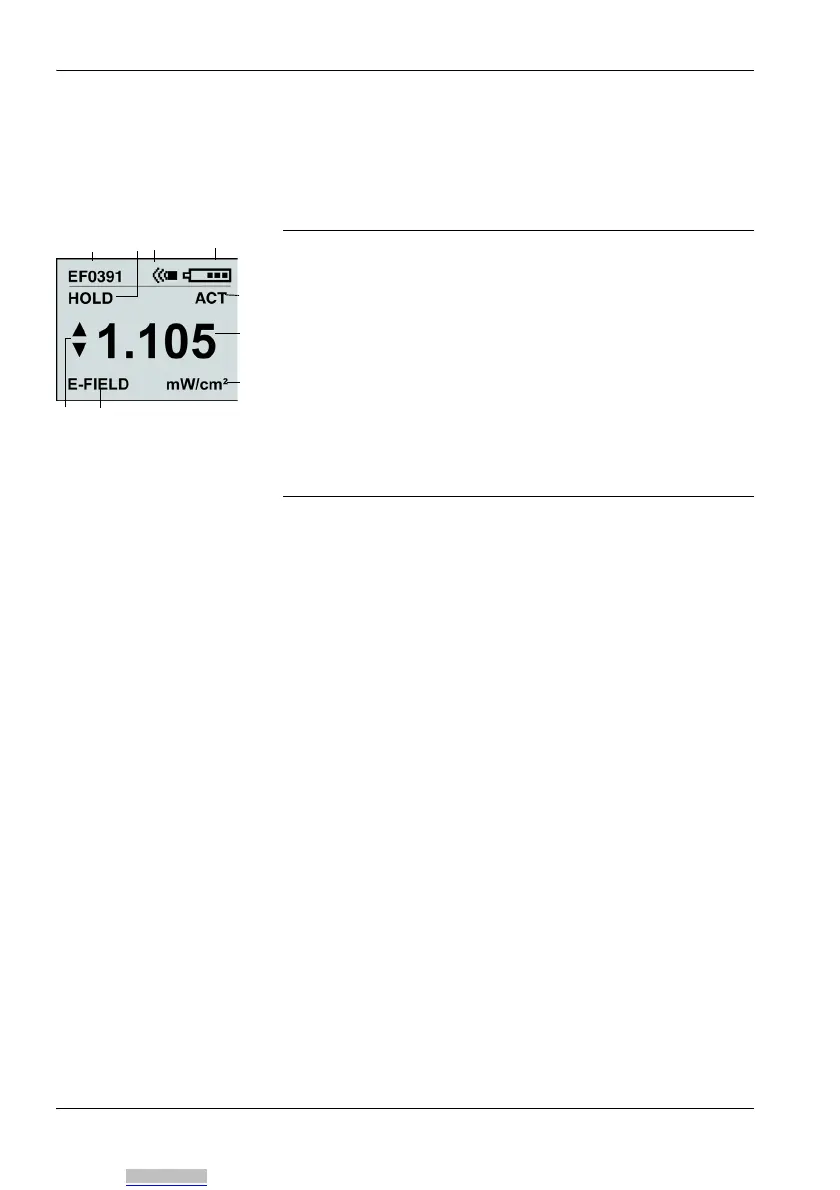
4.6 Overview of the display
The image below shows the items that can be displayed
during a measurement.
4.7 Selecting the result type
The NBM-520 can display the results in various ways:
• ACT (Actual) (page 31)
• MAX (Maximum) (page 31)
• AVG (Average) (page 31)
• SPATIAL (spatial average) (page 32)
These different result display modes are described in the
sections indicated above.
To select a result type:
Press the Mode button repeatedly until the desired result
type is displayed.
1 Probe used
2 Measured value “frozen” (hold) / Zero displays during
zeroing / Elapsed time counter in SPATIAL mode
3 Alarm function is switched on
4 Battery charge status
5 Result type
6 Measured value
7 Measured value units
8 Field type / REMOTE displays during a remote con-
trolled measurement
9 Value is outside probe measurement range
Downloaded from Arrow.com.



 To Next Page