Using the BRM2 Brain Monitor
20 | BRM2 Brain Monitor Reference Manual
Using the BRM2 Brain Monitor
This section contains basic information about operating the BRM2 Brain Monitor. For more detailed instructions, please
refer to the "BRM2 Onscreen Help System".
For an overview of BRM2 setup and operating instructions, and detailed instructions about attaching the BrainZ
Neonatal Sensor Set, please refer to the training CD “Introducing the BRM2 Brain Monitor”.
Setting up the BRM2 Brain Monitor
To set up the BRM2 Brain Monitor:
1. Place the BRM2 Brain Monitor where you are able to see and reach both the touchscreen display
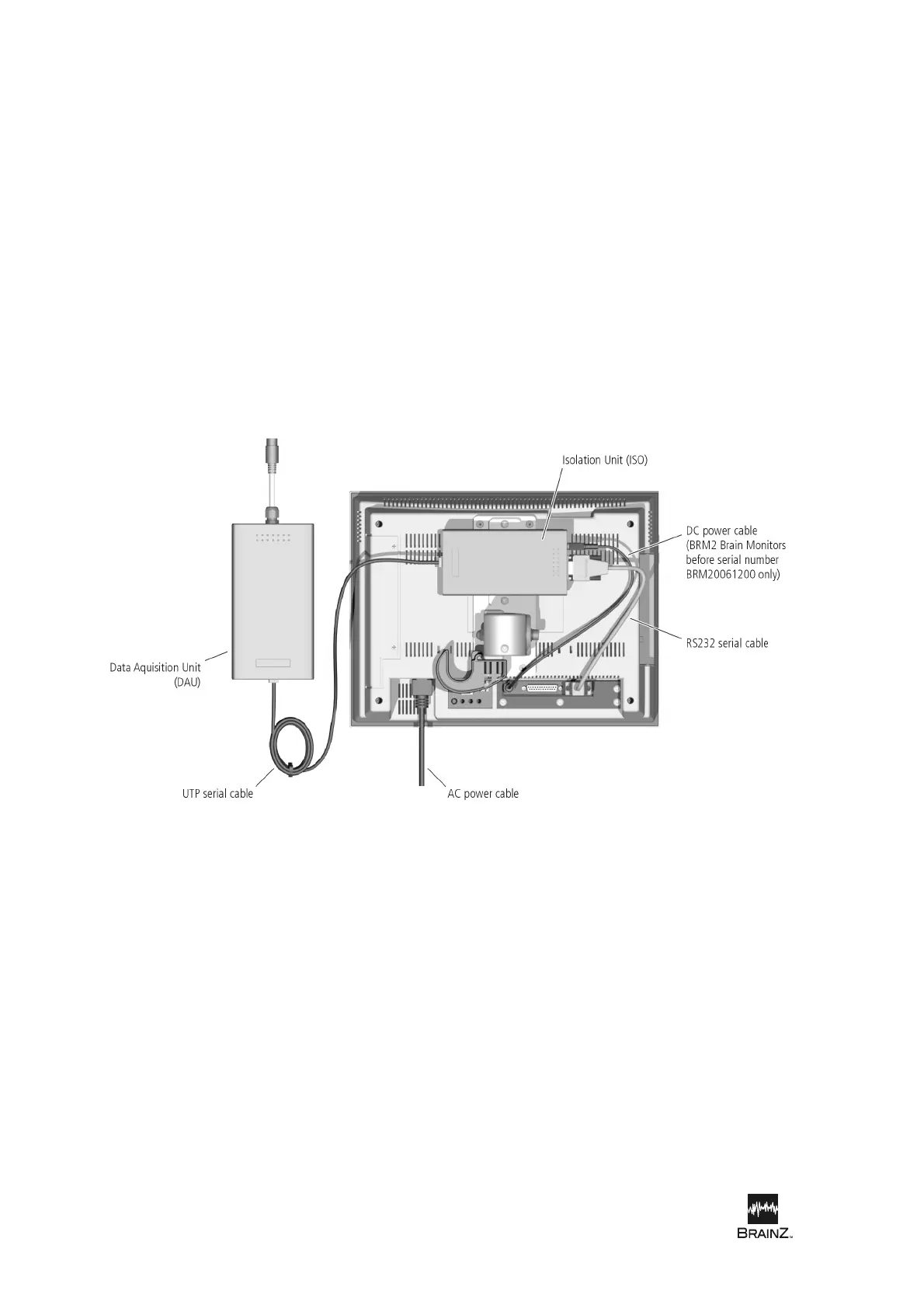
and the patient. Connect the power cord of the BRM2 Brain Monitor to a suitable AC supply outlet.
2. Turn the AC Supply Switch on (see Figure 8 on page 21) and check that the power indicator on
the DAU (Data Acquisition Unit) lights.
3. Position the DAU close to the patient.
4. If the Login screen appears, touch the User Name field to display the Onscreen Keypad. Type a
valid user name and touch Enter. Type a password and touch Enter. Touch Log In to log in to
the BRM2 Brain Monitor.
5. When the Main Menu screen appears (see Figure 2 on page 11), touch Assess Patient to
display the Patient Details screen.
Figure 7: Connecting the BRM2 Brain Monitor













 To Next Page