Preparation for use
18 | BRM2 Brain Monitor Reference Manual
4. To change your password:
- touch the Password field to display the Onscreen Keypad.
- type the new password and touch Enter.
- touch the Confirm Password field.
- retype the new password and touch Enter.
5. Touch Update to save your changes.
You cannot change your account privileges, or modify any other user’s account without appropriate
rights.
Use of the Roll Pole
Transporting the BRM2 Brain Monitor
The BRM2 Brain Monitor can be easily moved from location to location, without disassembling the unit.
For maximum safety and convenience, please remember the following points while moving the BRM2
Brain Monitor.
• Unlock the casters before attempting to move the roll pole, by lifting the locking levers.
• Push the BRM2 Brain Monitor in front of you, by holding the roll pole, rather than the Monitor unit.
• Hold the roll pole firmly while traversing small steps (such as the lip of an elevator cage).
• When you have positioned the BRM2 Brain Monitor as required, lock the casters by depressing the
locking levers.
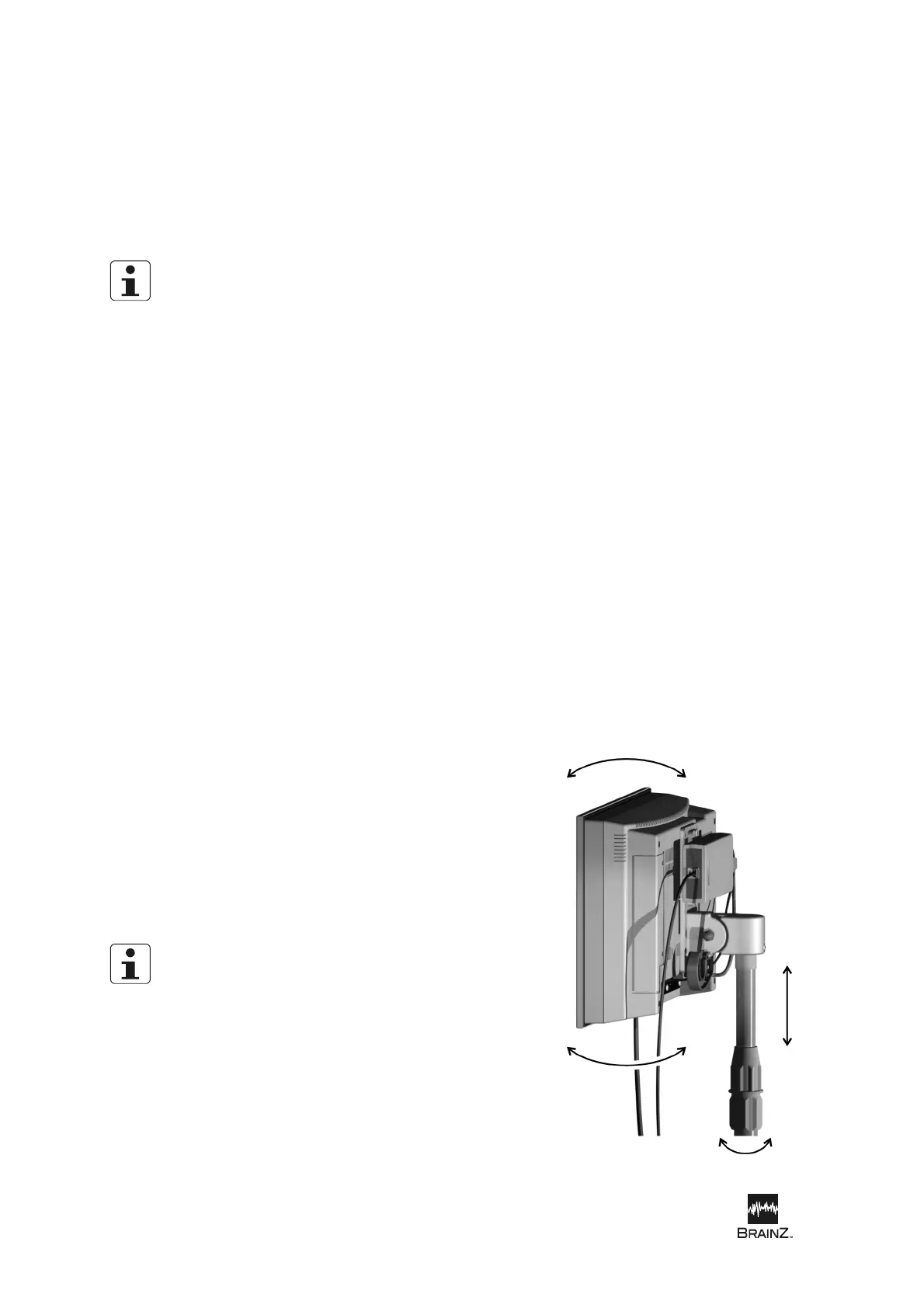
Adjusting the Monitor position
The height and angle of the Monitor unit can be easily adjusted to suit different operators and operating
positions.
To adjust the height of the Monitor:
1. Unlock the upper section of the pole by loosening the
white plastic locking collar.
2. Move the Monitor up or down to the required height.
3. Tighten the locking collar to lock the pole in the new
position.
To adjust the angle of the Monitor, hold the Monitor firmly at
its top and bottom and tilt it to the desired angle.
When the upper section of the pole is unlocked, the Monitor
unit is prevented from dropping suddenly by the pole’s
internal spring.
Figure 6: Adjusting the Monitor












 To Next Page