Using the BRM2 Brain Monitor
BRM2 Brain Monitor Reference Manual | 21
Starting and stopping the BRM2 Brain Monitor
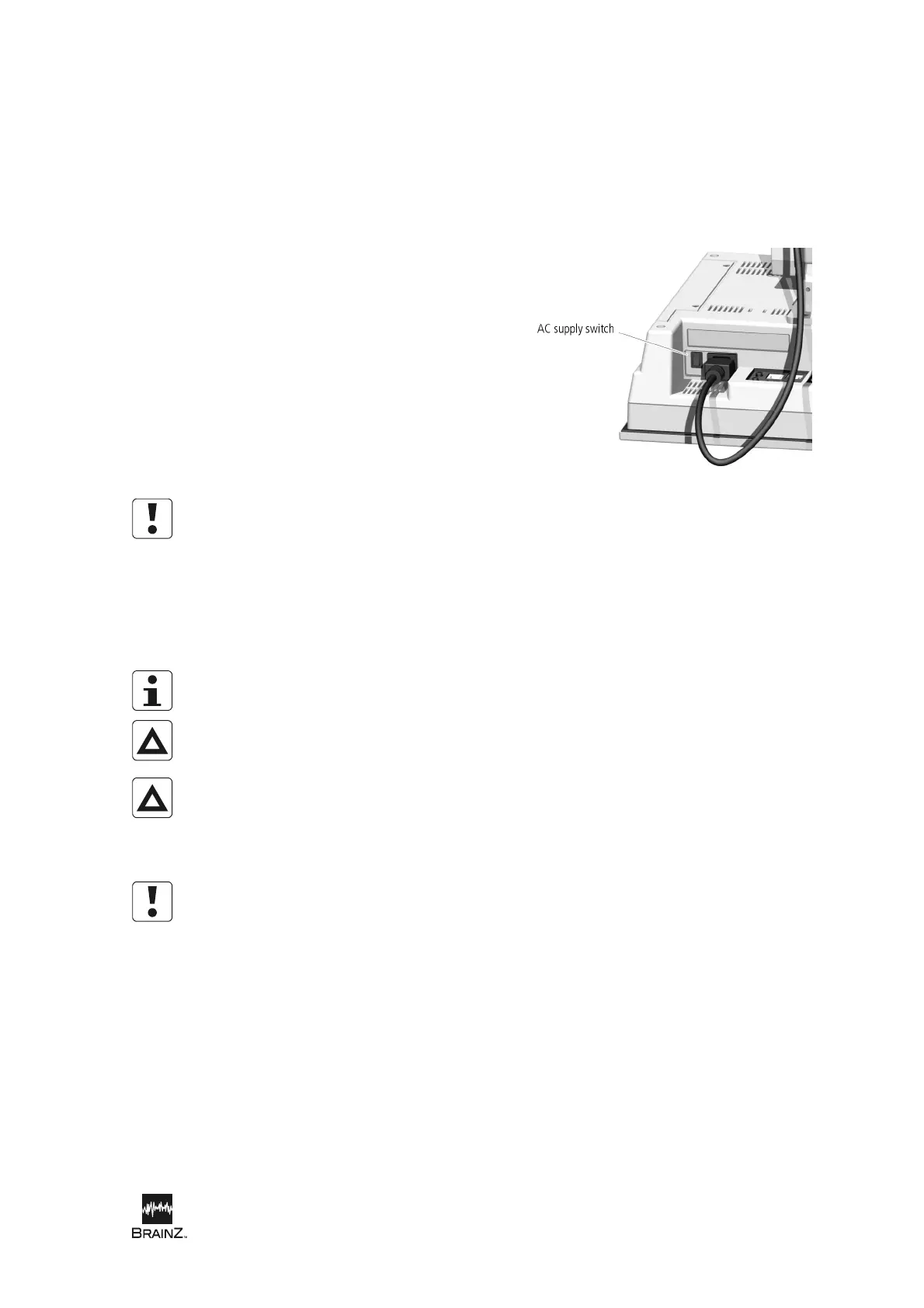
To start the BRM2 Brain Monitor, turn on the AC Supply Switch. Depending on the BRM2 Brain
Monitor’s configuration, either the Login screen or the Main Menu screen appears.
To turn off the BRM2 Brain Monitor:
1. If an assessment is in progress, touch
Stop (and touch Stop again when the
Stop dialog appears).
2. On the Main Menu screen, touch
Shutdown (and touch Yes when the
confirmation message appears).
3. When the message “Shutdown
Complete. It is now safe to reboot your
computer” displays, turn off the AC
Supply Switch.
Figure 8: Location of AC Supply Switch
Do not disconnect any of the cables connecting the BRM2 Brain Monitor’s components, or turn off the
AC Supply Switch, or disconnect the AC supply, while the BRM2 Brain Monitor is in use. If any of these
conditions occurs accidentally, reconnect the cables or resume the current assessment. See
Restoration after AC supply interruption on page 29.
Performing an assessment
In this Reference Manual, the term assessment is used to mean an examination of a patient’s EEG
activity using the BRM2 Brain Monitor.
Do not attempt to connect or disconnect the power cord of the BRM2 Brain Monitor with
wet hands. Make certain your hands are clean and dry before touching the power cord.
A three-wire, grounded, hospital grade supply outlet is required for use with the BRM2
Brain Monitor. Never adapt the three-wire attachment plug of the BRM2 Brain Monitor to
fit a two-wire supply outlet. If a three-wire, grounded supply outlet is not available, or
the integrity of the external protective ground is in doubt, do not operate the BRM2
Brain Monitor.
Do not disconnect any of the cables connecting the BRM2 Brain Monitor’s components, or turn off the
AC Supply Switch, or disconnect the AC supply, while the BRM2 Brain Monitor is in use. If any of these
conditions occurs accidentally, restart the BRM2 Brain Monitor and repeat the current assessment.












 To Next Page