Maintenance
30 | BRM2 Brain Monitor Reference Manual
Maintenance
This section covers regular maintenance of the BRM2 Brain Monitor, including cleaning instructions.
All users of the BRM2 Brain Monitor should read this section.
Checking for normal operation
The BRM2 Brain Monitor is supplied with a Test Plug that can be used to terminate each EEG channel for
test purposes. This procedure performs a full system test of the BRM2 Brain Monitor.
If personal accounts have not been set up on your BRM2 Brain Monitor, use the user name “NICU”,
with password “NICU”.
To check the BRM2 Brain Monitor for normal operation:
1. Turn the AC Supply Switch on (see Figure 8 on page 21).
2. If the Login screen appears, enter a valid user name and password into the appropriate fields.
Touch Log In to log in to the BRM2 Brain Monitor.
3. When the Main Menu screen appears, touch Assess Patient to display the Patient Details
screen.
4. Enter a fictitious Patient ID, Patient Name, and Clinician's Initials. Touch OK to display the Signal
Status screen.
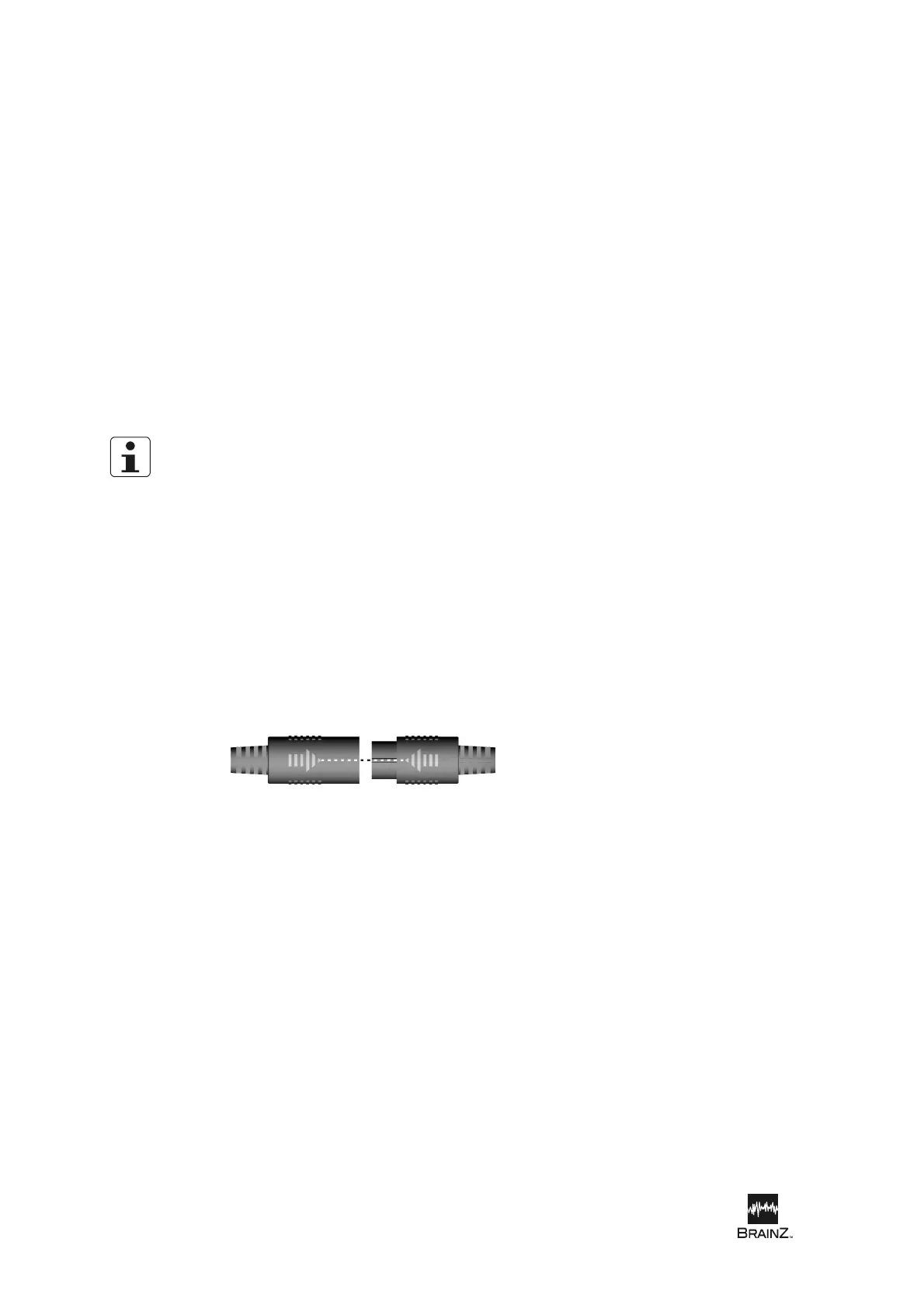
5. Insert the Test Plug into the DAU, in place of the Sensor Set. Make sure the arrows are aligned to
prevent damage to the connectors.
Expected result: The Sensor Signal Left and Right graphs should display low level "flat"
patterns, and the sensor impedance numbers and sensor indicators should read as shown in the
following table:
Sensor
Sensor Impedance Number (kΩ)
Sensor Indicator
Left Front 1 - 2 Green
Left Back 2 - 3 Green
Right Front 4 - 5 Green
Right Back 8 - 9 Yellow
Figure 11: Plug arrows aligned













 To Next Page