Using the BRM2 Brain Monitor
24 | BRM2 Brain Monitor Reference Manual
Accessing the Onscreen Help system
You can access the Help system in two ways:
• Selecting Help from the Tools menu (accesses the Help Introduction page)
• Touching ? at the top right of each screen (accesses the Help page appropriate to the current
screen).
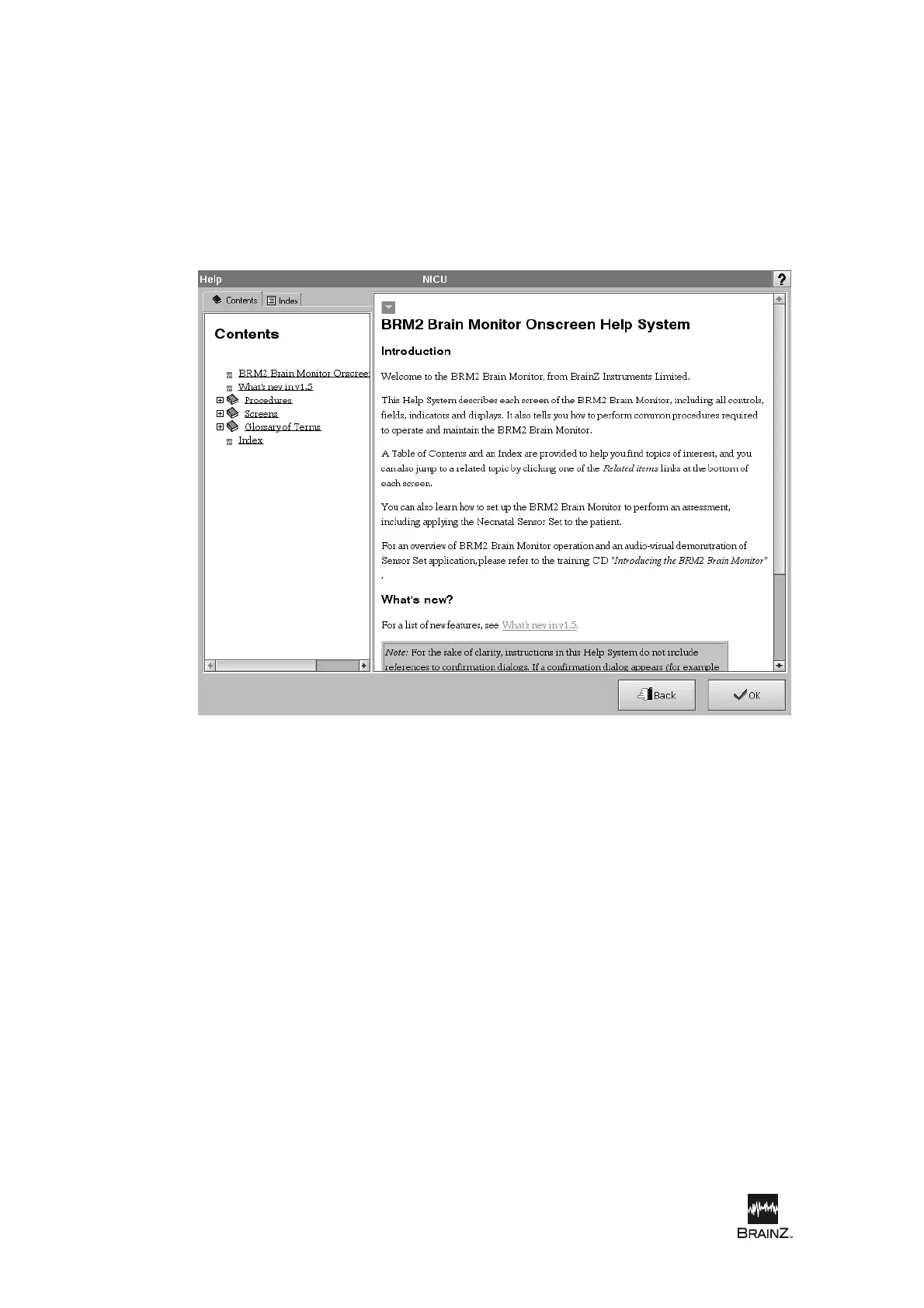
The Help screen
The Help screen is divided into two main panes:
• Contents/Index pane: You can switch between the Contents Tree and the Help Index by
touching the tabs at the top of the pane.
• Topic pane: Displays the topic selected in the Contents Tree or Help index, or navigated to by
touching a link or navigation icon.
Figure 9: Onscreen Help System













 To Next Page